
Thank you for trying Flux
We are grateful you gave Flux a try. Whether you are ending a trial or a cancelling paid subscription, we want the process to be simple.
If something did not work the way you expected, or there’s something we could do to improve your experience, we’d love to hear from you. Please reach out to our support team directly - we read every message and we are happy to help.
Before you start
You can cancel from your account settings at any time. You do not need to contact us to cancel.
Open Flux and click your profile avatar in the top right corner.
Select Plan & Payments.
Click the gear icon section of your plan.
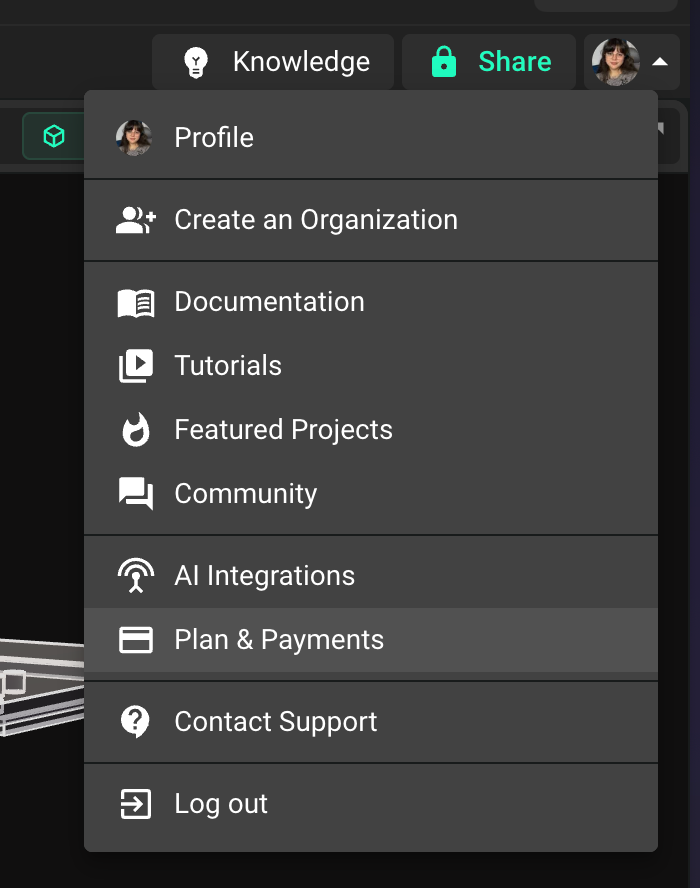
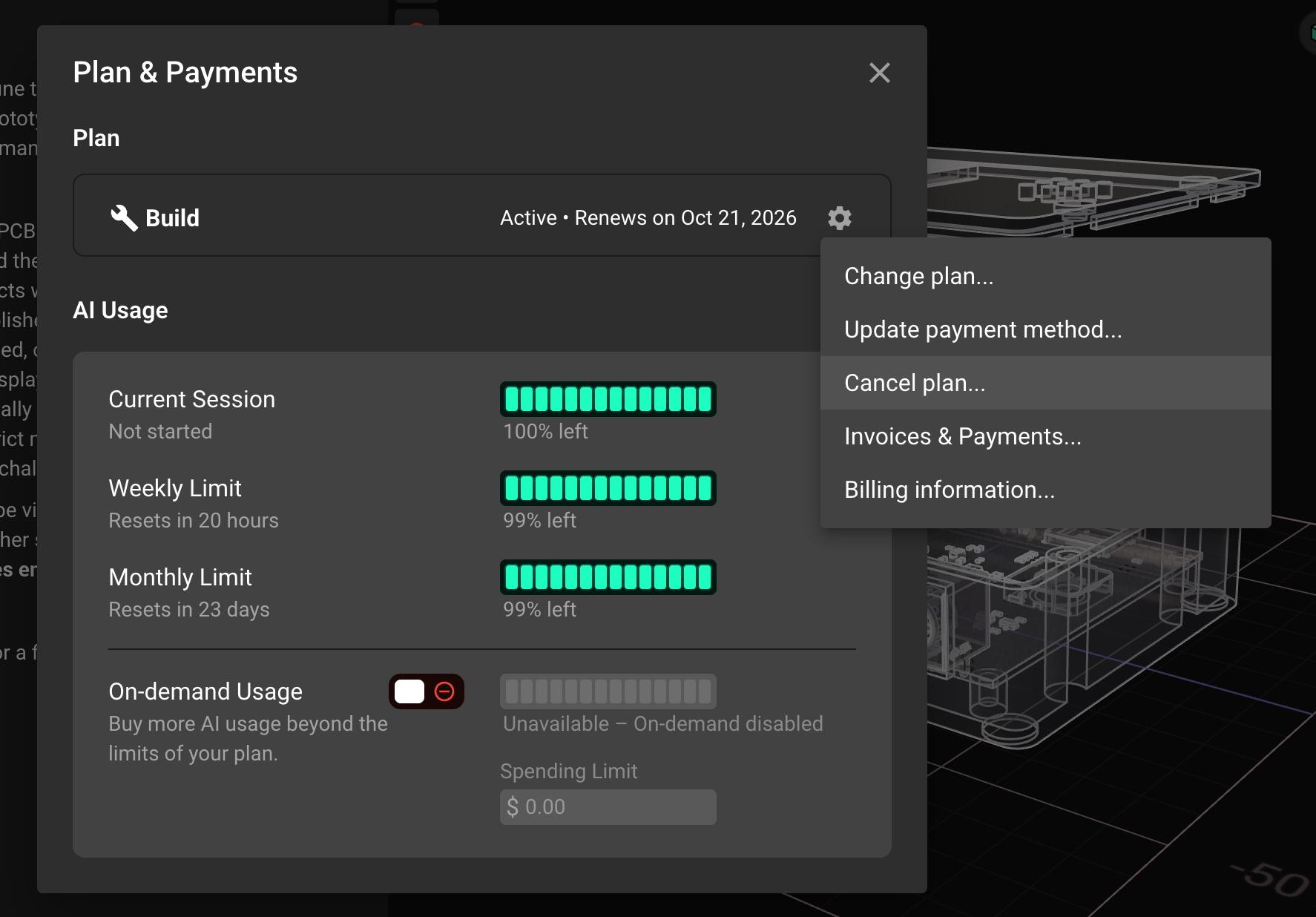
Both flows below start from this Plan & Payment section.
Cancel while on a free trial
In the Plan & Payments section, find your subscription card (the second one).
Click the gear icon on the right side of the card.
Select Cancel plan... from the menu.
Review the summary and confirm by clicking Cancel Plan.
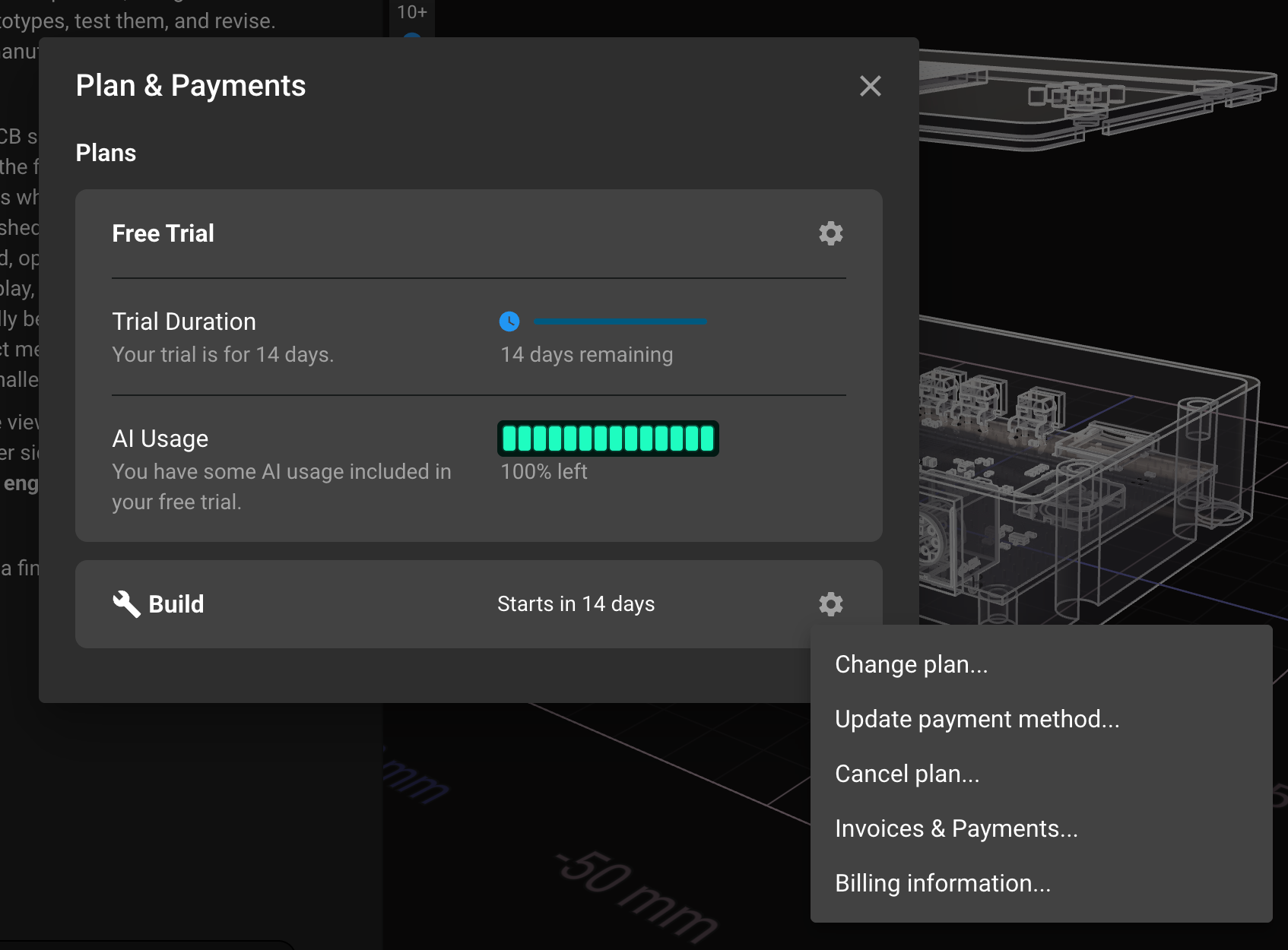
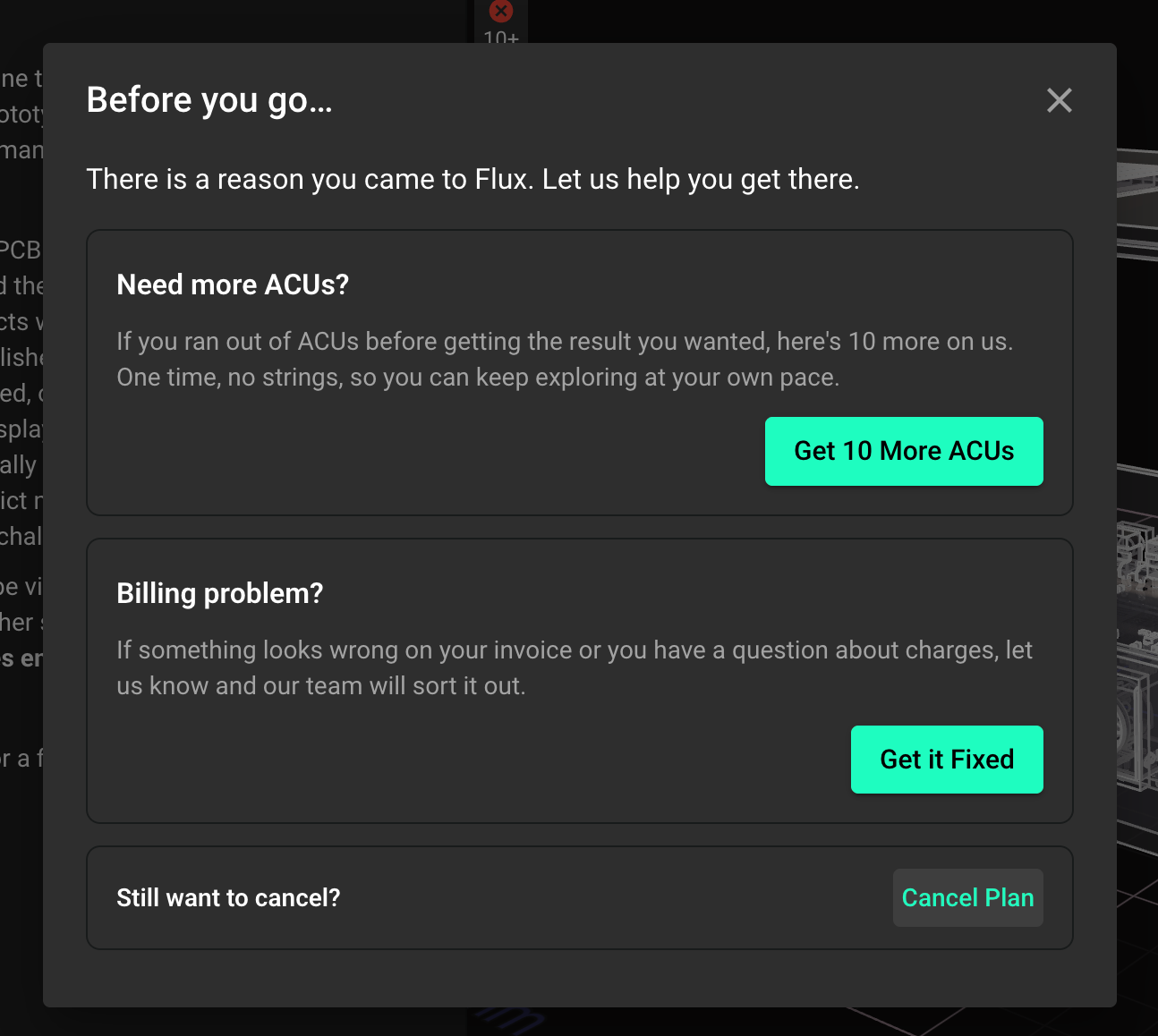
Your trial stays active until its end date. After that, your account moves to the free plan and you will not be charged.
Cancel while on a paid subscription
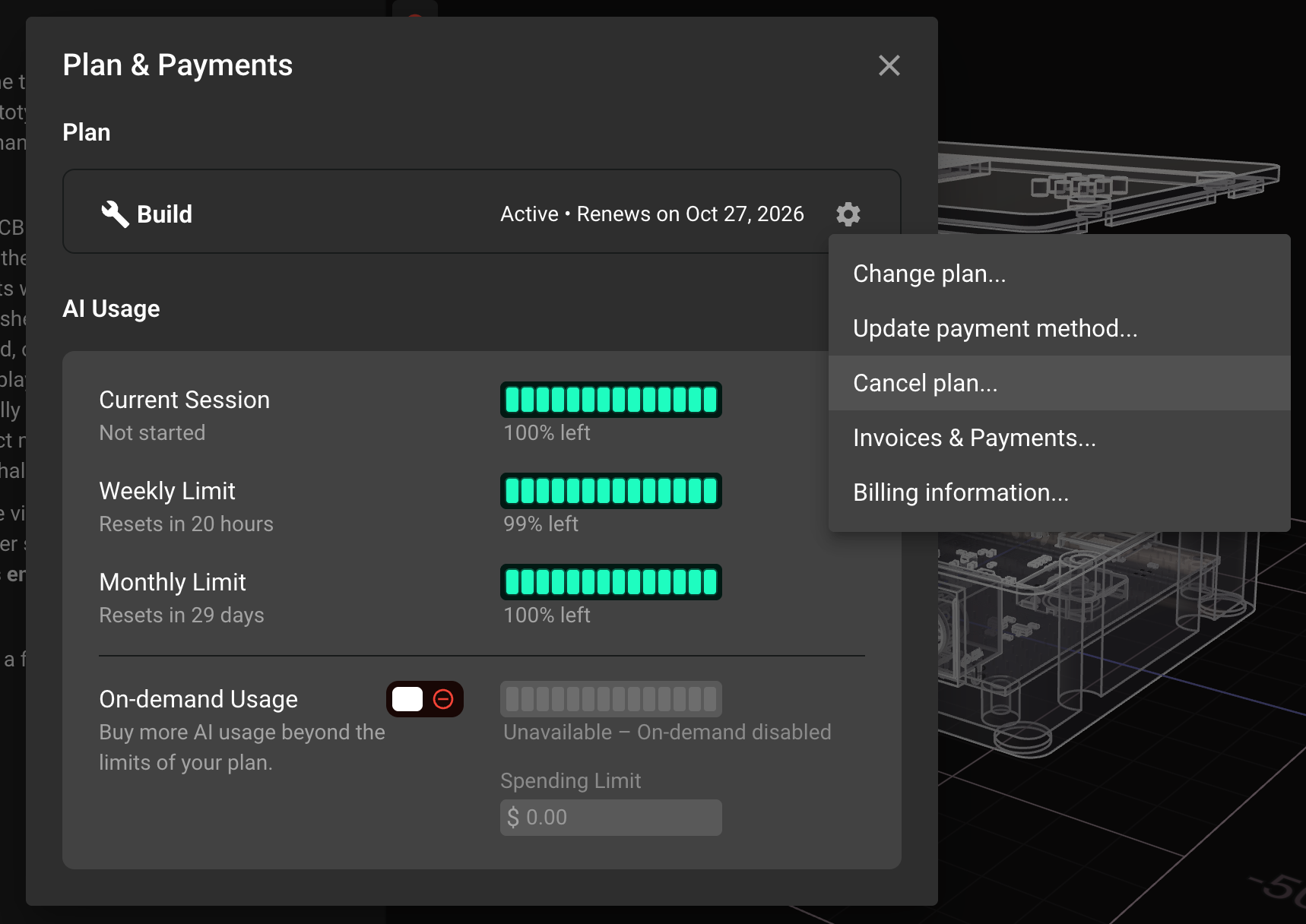
In the Plan & Payments section, find your active plan card.
Click the gear icon on the right side of the card.
Select Cancel plan... from the menu.
Review the summary and confirm by clicking Cancel Plan.
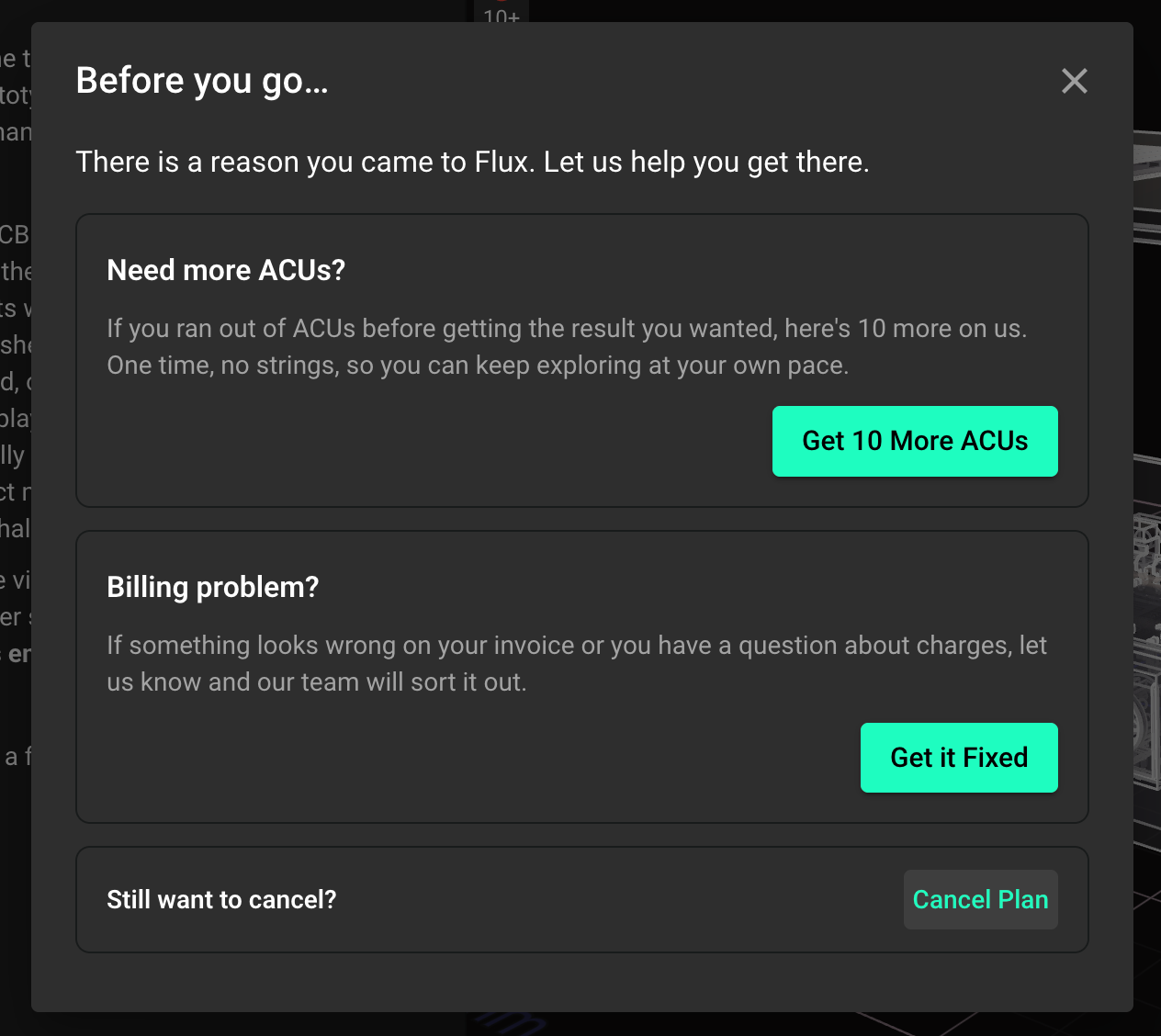
Your plan stays active until the end of the current billing period. You keep full access until then, and you will not be billed again.
Can't find the cancel plan option?
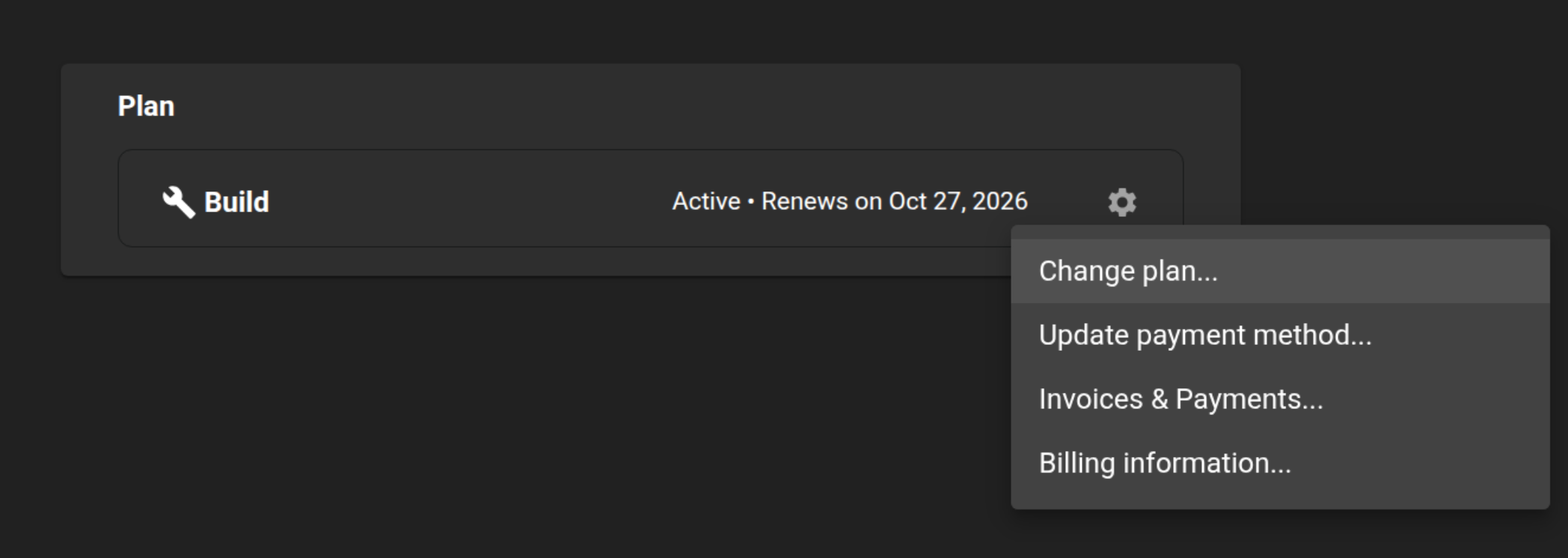
In some instances if you do not see Cancel plan... in the gear menu, your account may be on a different configuration. Try this instead:
Click the gear icon on your plan card.
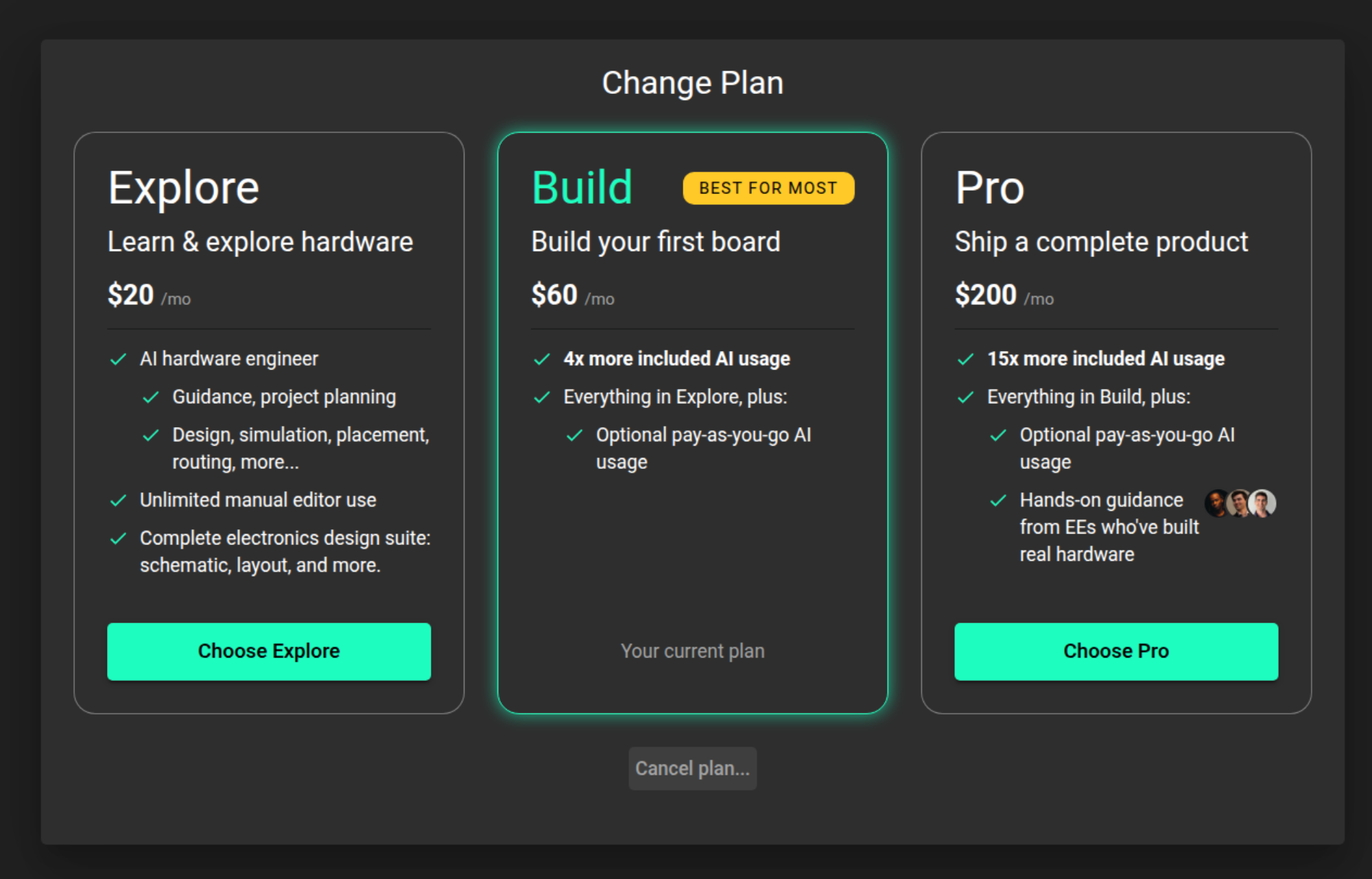
Select Change plan....
At the bottom of the dialog, click Cancel plan....
Confirm by clicking Cancel Plan.
After you cancel
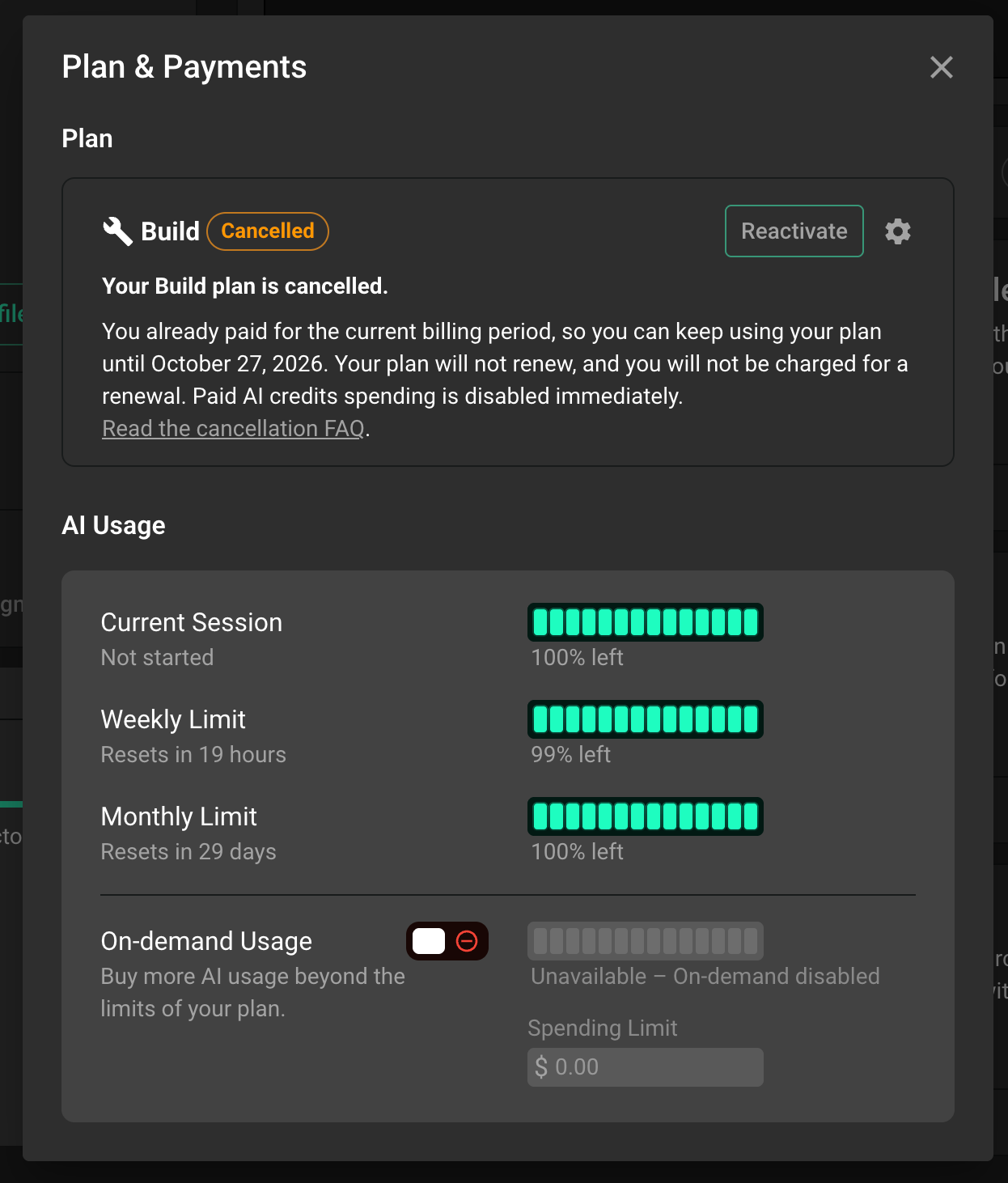
Your plan card in Settings will show the date your access ends. You can resubscribe at any time from the same Plan & Payments section.
Still can't cancel?
If neither option appears, or if you run into an error while canceling, please let us know. Contact our support team and include the email address on your Flux account. We will take care of it for you and confirm once it is done.