
Understand and manage your Flux ACUs to optimize your use.
Overview
An ACU (Agent Compute Unit) is the unit of measurement for AI usage in Flux. Every time you use an AI-powered feature in Flux, a certain number of ACUs are consumed depending on the complexity of the request. ACUs are designed to help you budget and pay for your Flux AI usage, with a system that correlates ACU consumption to AI usage.
ACUs are only available in combination with a valid Flux subscription.
How do ACUs work?
Every time you interact with Flux's AI features through Chat, Auto-Layout, or AI Design Reviews, you will be using Flux ACUs. The number of ACUs used on any interaction depends on the complexity of the request and the project. Due to the nature of AI systems, it's not possible to know how many ACUs a request will consume beforehand.
Checking how many ACUs were consumed
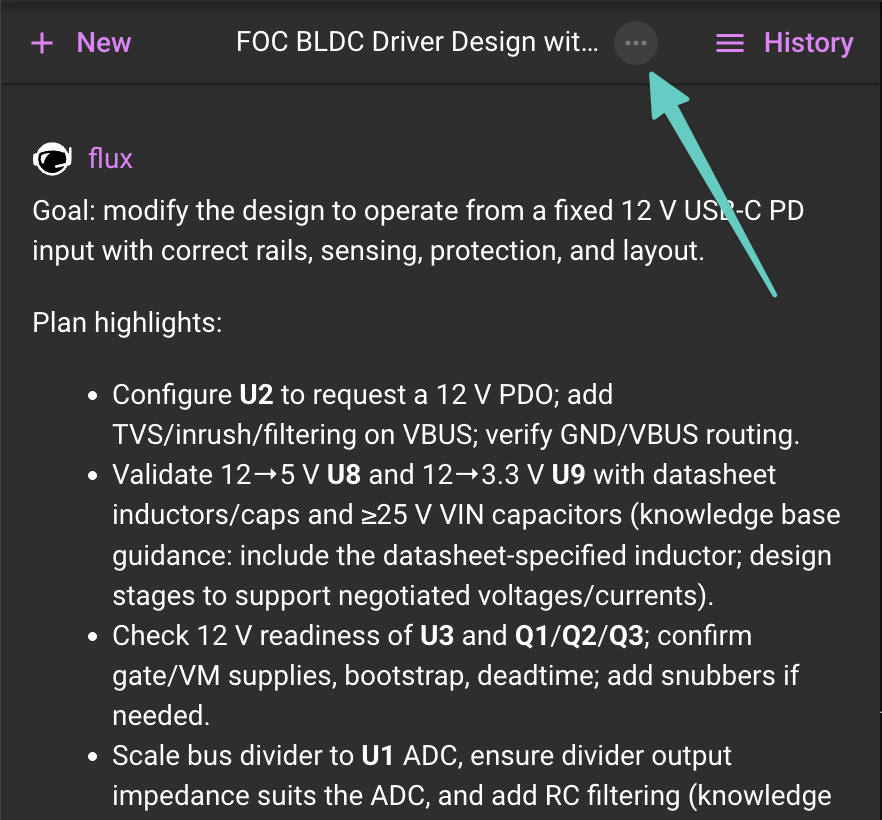
To check how many ACUs were used in a specific thread, you can check click on the ... at the top of the chat.
How do ACUs get used?
These are the rules that determine whose Flux ACUs will be used:
When a project is owned by an organization account, and the user making a request in that project is a member of that organization, the organization's ACUs will be used.
In all other cases, the user's own ACUs will be used.
Types of ACUs
Included ACUs
Every paid Flux plan comes with included ACUs.
Educational plans include free ACUs.
Free plans and free organizations do not include ACUs.
Included ACUs are renewed the first day of every month.
Included ACUs don't have rollover, meaning unused ACUs from one month do not get added to the following month's balance.
Paid ACUs
Billed based on usage. Read the section below to learn how to manage your ACUs.
Users can set a monthly maximum budget.
Budget and ACU usage are displayed transparently to the account owner.
Managing Your ACUs
All ACUs are used within the context of the project where Flux is being referred to. Meaning, if the project is owned by an organization, they are taken from the organization's ACUs. If the project is owned by a user, they will be taken from the user that owns the project. Cross-use of ACUs is not allowed. A user cannot use their ACUs on organization-owned projects and vice-versa.
ACUs are managed slightly differently between users and organizations, see below for managing your ACUs depending on what user type you are.
ACUs for Individual Users
Checking your Balance
Your ACU balance is visible in the "Plans & Payments" menu, by clicking in the profile menu in the top right.
Note: if you are on a free or student plan, you will see your remaining included ACUs below your picture in the profile page.
Purchasing Additional ACUs
ACUs cannot be purchased in advance. If you need more ACUs, simply increase your monthly spending limit.
Users on the Free or Student plans cannot purchase additional ACUs besides the included balance. If you are on any of these two plans, you will need to upgrade to Pro in order to purchase additional ACUs.
Setting a Spending Limit
Click on the profile menu in the top right and open the "Plans & Payments" menu.
You can set a maximum spending limit under the Paid ACUs menu.
ACUs for Organizations
Remember that any Flux interaction within a project owned by your organization will use your organization's ACUs.
Checking your Balance
Your ACU balance is visible in the settings tab of your organization's profile page.
Setting a Spending Limit
Open your organization profile and click on the "Settings" tab.
You can set a maximum spending limit under the Paid ACUs menu.
Purchasing Additional ACUs
ACUs cannot be purchased in advance. If you need more ACUs, simply increase your monthly spending limit.
FAQ
What happens if I don't like Flux's answer or if it doesn't give me something useful. Are the ACUs still used up?
Flux uses the relevant context of your project and the Flux knowledge base to provide the best possible responses. If you're not happy with the results, please check out these tips to help you get the most out of Flux.
Because Flux is powered by LLM-based AI technology, it can and occasionally will make mistakes. The accuracy of answers is not guaranteed and ACUs will be consumed irrespectively.
If you are dissatisfied with the results, or experience unexpected high ACU consumption, please feel free to contact us, and we'll be happy to help.