
ACU stands for Agent Compute Unit. It is the unit that measures how much work Flux does for you. Flux uses ACUs for electronics, mechanical design, firmware, simulation, and manufacturing work. Every agent action in Flux, such as a schematic edit, a new mechanical part, or a layout request, uses a number of ACUs. The number depends on how complex the task and the project are.
To see how many ACUs one chat thread used, see How to see how many ACUs a chat thread used.
Where to see your ACUs
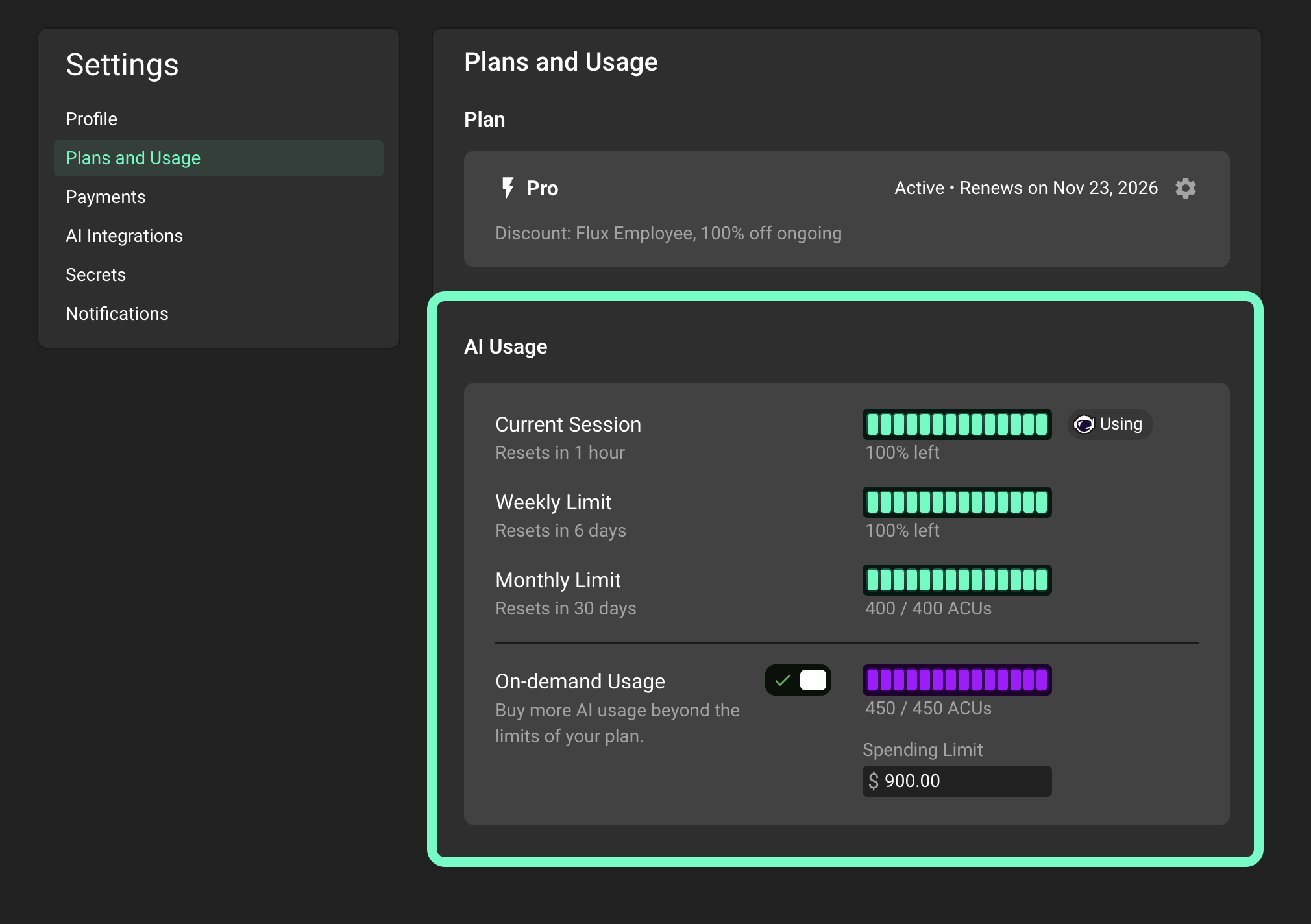
Open Flux and click your profile avatar in the top right corner.
Select Settings.
In the menu on the left, click Plans and Usage.
Scroll to the AI Usage section.
Here you see how many ACUs you have left, and when each limit resets.
An organization owner sees the organization's ACUs in the organization's profile, in the Settings tab under Plans and Usage.
Which account pays for ACUs
Flux uses ACUs from the account that owns the project:
If an organization owns the project, and you are a member of that organization, Flux uses the organization's ACUs.
For all other projects, Flux uses your own ACUs.
Included ACUs
Every paid plan includes a set number of ACUs for each billing period. You already pay for these ACUs with your subscription. Flux uses them first. They reset at the start of your next billing period. Unused included ACUs do not roll over.
On most plans, your included ACUs are also spread over rolling limits: Current Session, Weekly Limit, and Monthly Limit. For how these limits work, see How on-demand usage and usage limits work.
Trial accounts also get a small set of included ACUs to try the agent.
For the number of included ACUs on each plan, see the Flux pricing page.
On-demand ACUs
If you reach one of your limits, or you use all of your included ACUs before the end of your billing period, you have two choices:
Wait until the limit resets.
Turn on on-demand usage to keep working. On-demand ACUs are billed on top of your subscription at the on-demand rate for your plan.
For steps to turn on on-demand usage and set a spending limit, see How on-demand usage and usage limits work. To add a payment method, see How to update your payment method.
How on-demand charges are billed
On-demand ACUs are not billed one by one, and they are not all billed in one large invoice at the end of the month. Instead, Flux bills them in increments as you use them.
The increment starts at 10 ACUs. Every time your on-demand usage reaches a full increment, Flux charges your card for it right away, and you get an invoice for it.
For accounts that use on-demand ACUs quickly, the increment can grow. This gives you fewer, larger charges instead of many small ones. The price per ACU and your total stay the same for all increment sizes.
Usage that has not reached a full increment waits for the next charge. Any on-demand usage that is still not billed at the end of your billing cycle is charged then, together with your subscription renewal.
For example, you use 23 on-demand ACUs in a month with the 10 ACU increment. You see two charges of 10 ACUs during the month, and one charge of 3 ACUs at the end of your billing cycle.
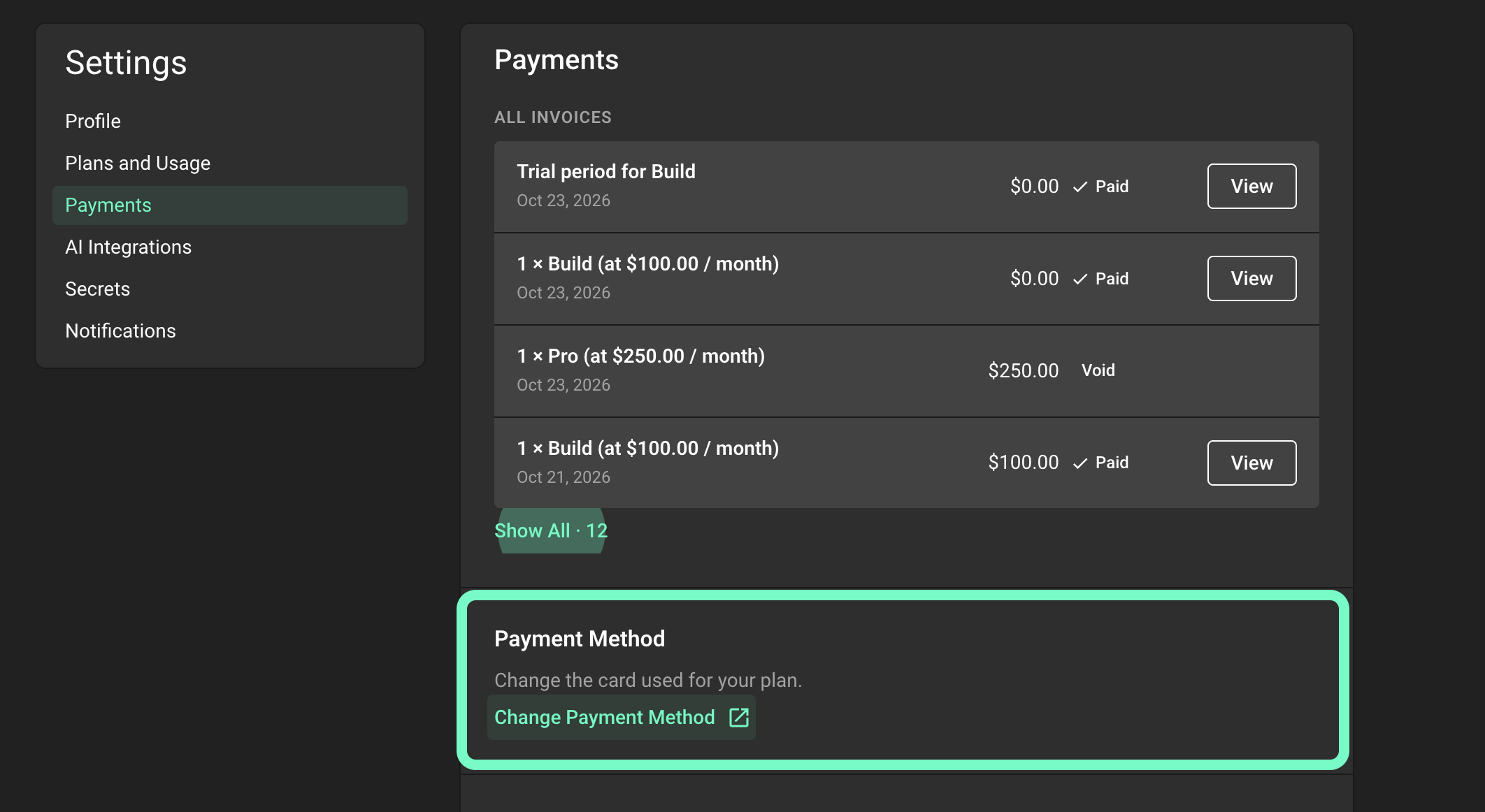
You can find all of your on-demand invoices in Settings → Payments. They show as Flux ACUs - usage based.
Declined charges
If a charge is declined, the invoice stays open and Flux tries your card again automatically. On-demand usage is paused until the open invoice is paid.
To fix it:
Go to Settings → Payments, find the open invoice, and click Pay.
Or change your card first. On the same page, scroll down to Payment Method and click Change Payment Method. Then pay the open invoice.
For the full steps, see How to download or pay your invoices and How to update your payment method.
Manage on-demand usage
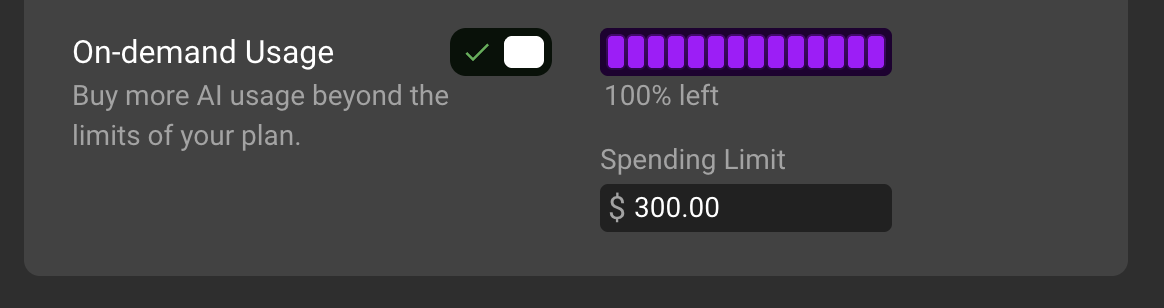
For spending limits and on-demand settings, see How on-demand usage and usage limits work.
You can also set the limit from the Chat panel when you reach a limit:
Select Enable On-demand Usage.
Choose a monthly limit.
Select Set Limit.
To change a limit that you set before, select Raise On-demand Limit, choose the new limit, and select Set Limit.
Organization owners use the same steps to set the organization's monthly limit for a project that the organization owns.
Questions about ACUs
Does a request use ACUs when the result is not useful?
Yes. ACUs measure the work that Flux does for a request.
Does Chat mode use ACUs?
No. Chat mode uses no ACUs. Agent mode uses ACUs. For more information, see How to see how many ACUs a chat thread used.
Need help?
If a charge does not look right, if you are not sure which invoice covers which usage, or if you want help to choose a spending limit, contact Flux support and include the email address on your Flux account. Flux support can go through your usage with you.