
What is an ACU?
ACU stands for AI Credit Unit. It is the unit we use to measure how much work the Flux AI agent does for you. Every AI action in Flux, such as a chat message, a schematic edit, or a layout request, uses a certain number of ACUs depending on how complex it is.
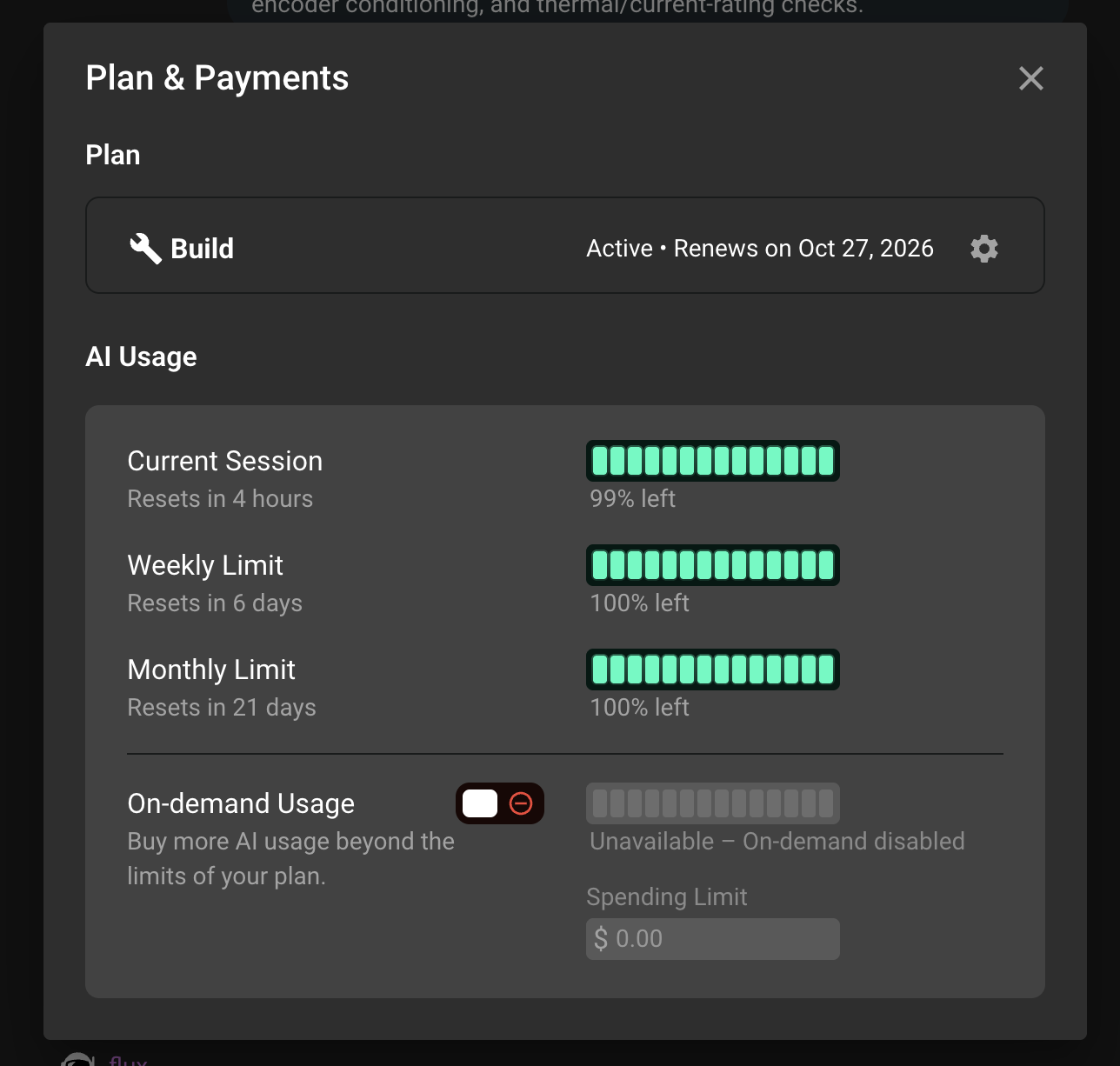
You can always see how many ACUs you have used and how many you have left in Settings under Plan & Payments.
Included ACUs
Every paid plan includes a set number of ACUs for each billing period. These are the ACUs you have already paid for with your subscription. They are used first, and they reset at the start of your next billing period. Unused included ACUs do not roll over.
Trial accounts also get a small set of included ACUs to try the agent.
On-demand ACUs
If you run out of included ACUs before the end of your billing period, you have two choices:
Wait until your next billing period, when your included ACUs reset.
Turn on on-demand usage to keep working. On-demand ACUs are billed on top of your subscription at the on-demand rate for your plan.
On-demand usage is off by default. To turn it on:
Go to Settings and open Plan & Payments.
Find the On-demand usage control in the AI usage section and switch it on.
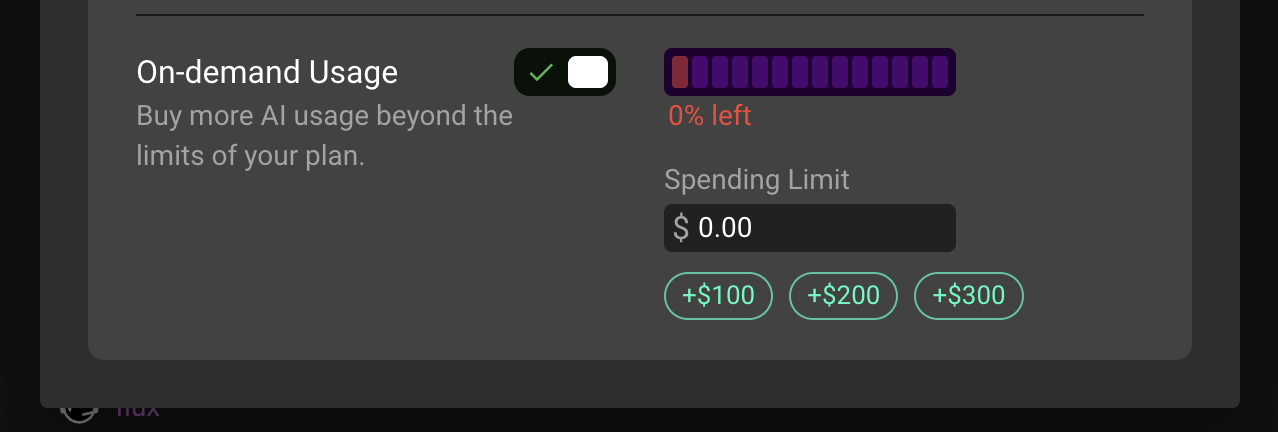
Set a Monthly Spending Limit. This is the most you are willing to spend on on-demand ACUs in a single billing period. The agent stops using on-demand ACUs once you reach it.
You need a payment method on file to enable on-demand usage.
How on-demand charges are billed
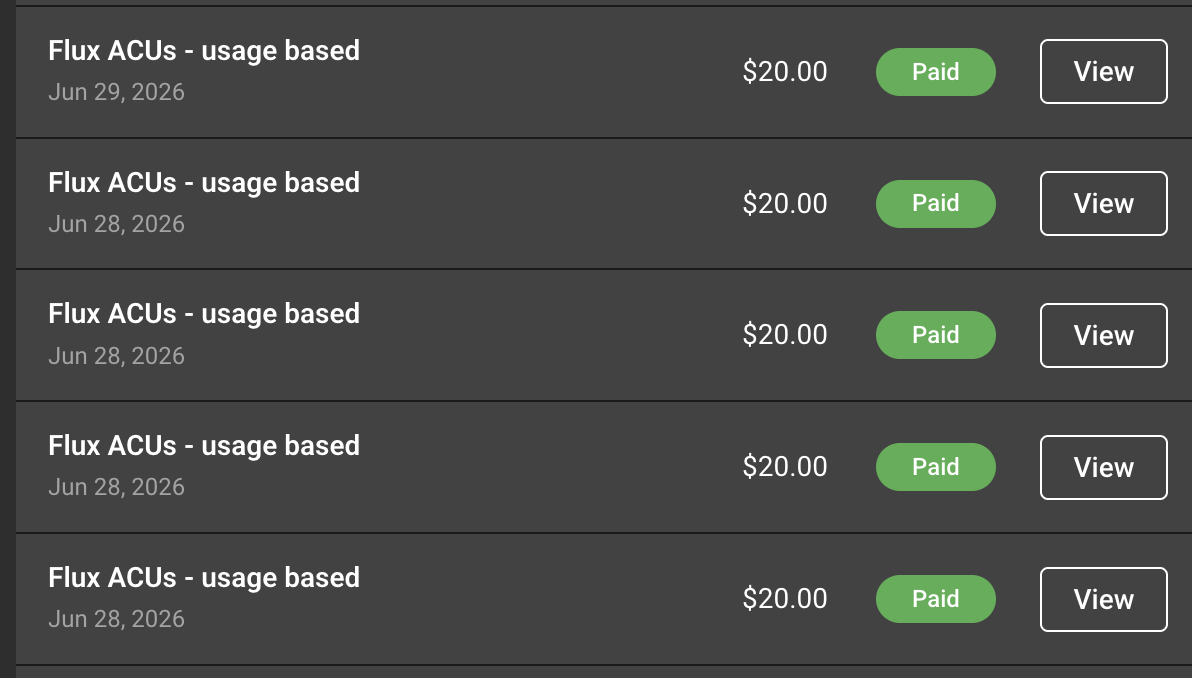
On-demand ACUs are not billed one by one, and they are not all billed in one large invoice at the end of the month. Instead, we bill them in increments of 10 ACUs as you use them.
Every time your on-demand usage reaches 10 ACUs, we charge your card for those 10 ACUs right away and you receive an invoice for it.
Usage that has not yet reached a full 10 ACUs waits for the next charge. Any remaining on-demand usage that is still unbilled at the end of your billing cycle is charged then, together with your regular subscription renewal.
For example, if you use 23 on-demand ACUs in a month, you will see two charges of 10 ACUs during the month and one charge of 3 ACUs at the end of your billing cycle.
You can find all of your on-demand invoices under Invoices & Payments... in the gear icon menu on your plan card.
Declined charges
If a charge is declined, the invoice stays open and your bank card is retried automatically. On-demand usage is paused until the open invoice is paid. You can pay it right away from Invoices & Payments... in the gear icon menu on your plan card, or update your card under Update payment method... and try again.
You can find all of your on-demand invoices under Invoices & Payments... as well.
Keep your spend under control
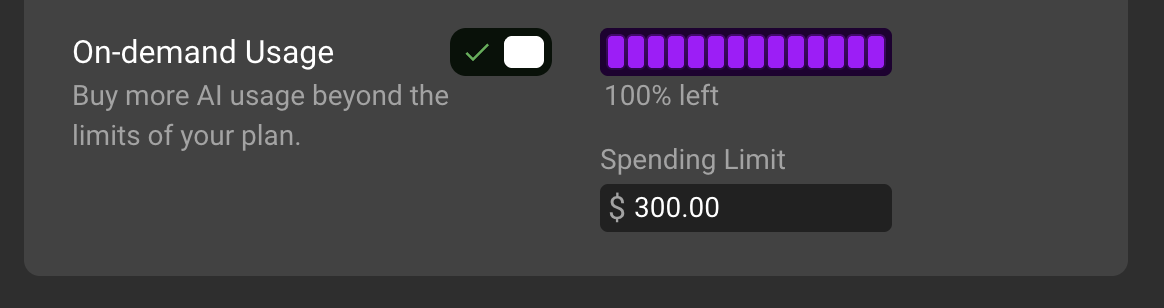
Your Monthly Spending Limit is a hard cap. Flux will not bill you more than that for on-demand ACUs in a billing period.
You can turn on-demand usage off at any time. ACUs already consumed are still billed under the rules above.
The usage meter in Plan & Payments shows how many on-demand ACUs you have used so far in the current period.
Need help?
If a charge does not look right, if you are not sure which invoice covers which usage, or if you want help choosing a spending limit, please contact our support team with the email address on your Flux account. We are happy to walk through your usage with you.