
Every Flux plan includes a set amount of AI usage, measured in ACUs (AI Credit Units). To keep the agent fast and reliable for everyone, that included usage is spread out over a few rolling time windows instead of being available all at once. This article explains how those limits work, what happens when you reach one, and how on-demand usage lets you keep going.
Where to find your usage
Open Settings from your account menu.
Go to Plan & Payments.
Scroll to the AI Usage section.
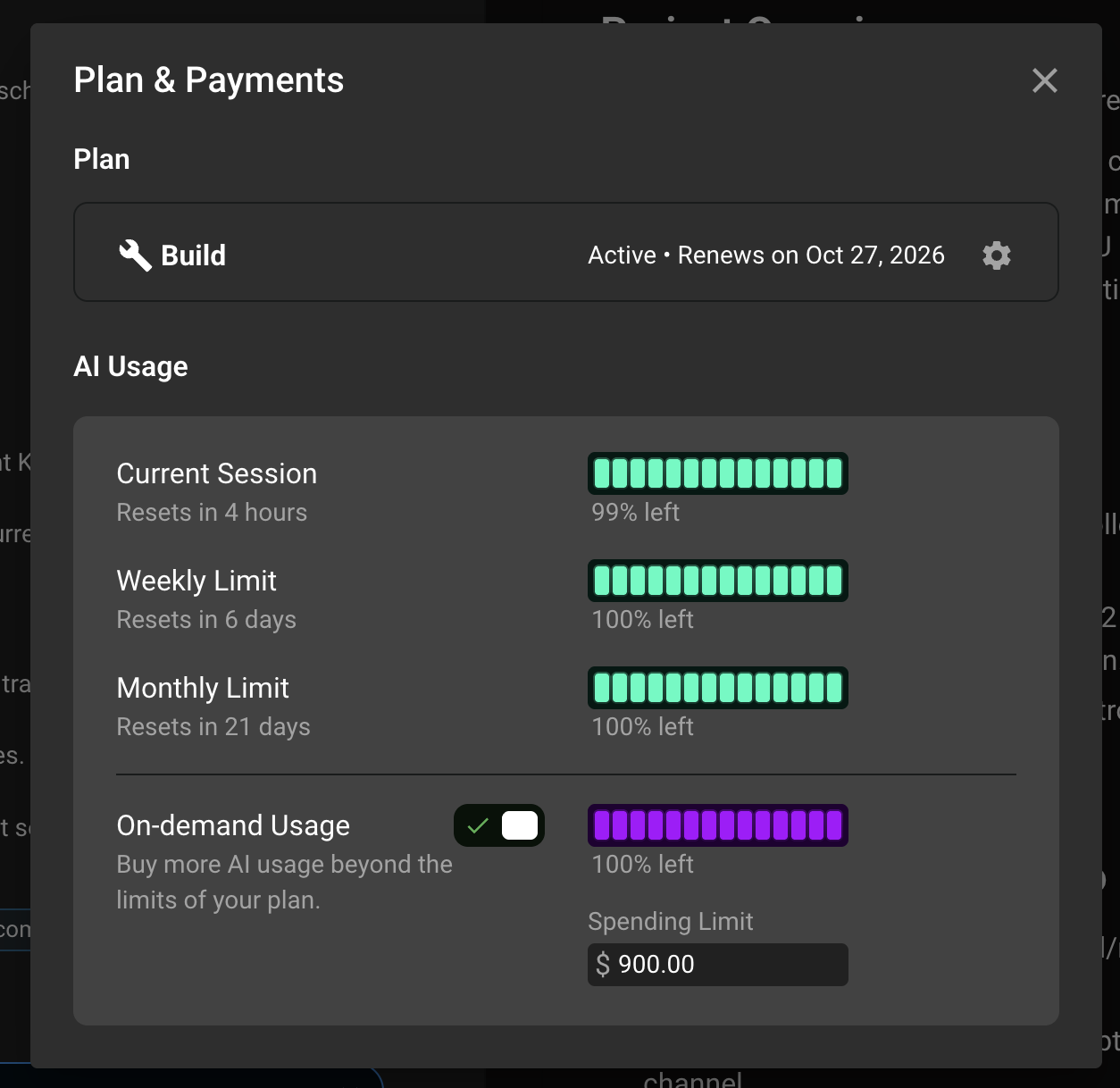
Here you will see one bar for each limit on your plan, how much of it you have left, and when it resets. The On-demand Usage toggle and spending limit live right below the bars.
Your usage limits
Depending on your plan, you can see up to three limits:
Current Session: a short rolling window of a few hours. This is the one you will notice most during a long working session with the agent.
Weekly Limit: a rolling 7-day window.
Monthly Limit: the total ACUs included in your plan for the billing month.
These limits are rolling, not fixed to the calendar. Each window starts the first time you use the agent, and it resets after its full length has passed. The "Resets in" label under each bar tells you exactly how long to wait. Usage counts toward all windows at the same time, so one agent run consumes from your session, weekly, and monthly limits together.
The size of each limit depends on your plan. Higher plans get larger windows. You can see your exact limits in the AI Usage section.

What happens when you reach a limit
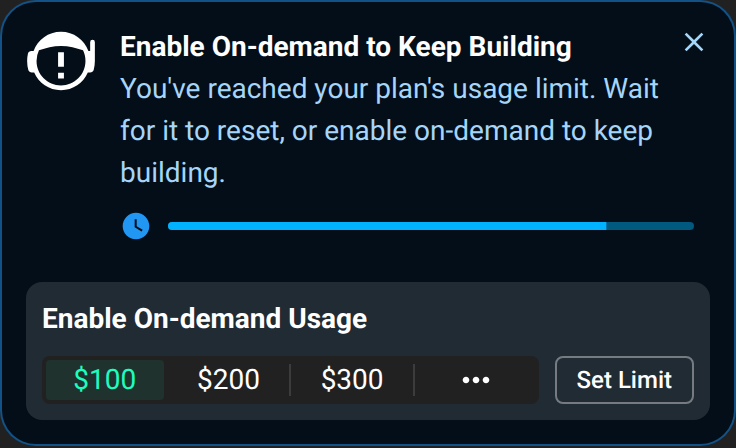
When you reach any one of your limits, Agent mode pauses until that window resets. You will see an "ACU limit" notice with a countdown in Settings and in the chat panel. Nothing is lost: your project, your chat history, and your remaining usage in the other windows stay as they are. Chat mode stays available while you wait.
You have two options at that point:
Wait for the window to reset. The countdown shows when.
Turn on on-demand usage to keep working right away. See below.
How on-demand usage works
On-demand usage lets you buy more AI usage beyond the limits of your plan, paid per ACU. When it is on and you hit a limit, the agent keeps running and the extra ACUs are billed to your card instead of waiting for the reset.
Which ACUs are used first
Flux always uses your usage in this order:
Included ACUs from your plan, as long as none of your limits is reached.
Any prepaid ACU bundles you have bought (this also counts promotion/courtesy ACUs).
On-demand usage.
So on-demand ACUs are only used while one of your limits is reached, or when your monthly included ACUs are used up. As soon as the window resets, the agent goes back to your included ACUs first. You do not need to turn on-demand usage off to make this happen, and nothing is charged while your included ACUs cover your usage.
For example, if you hit your Current Session limit at 2 pm with on-demand usage on, the agent keeps working on on-demand ACUs. When the window resets later that day, your next agent runs come out of your included ACUs again, and on-demand is only used again the next time you reach a limit.
Note that on some plans on-demand usage is not available. In that case the agent pauses until the window resets, or until you upgrade or buy an ACU bundle.
Turn on-demand usage on or off
Go to Settings > Plan & Payments.
In the AI Usage section, find On-demand Usage.
Click the toggle to turn it on or off.
You can turn it off at any time. When it is off, the agent simply pauses when you reach a limit and nothing extra is charge
Set a spending limit
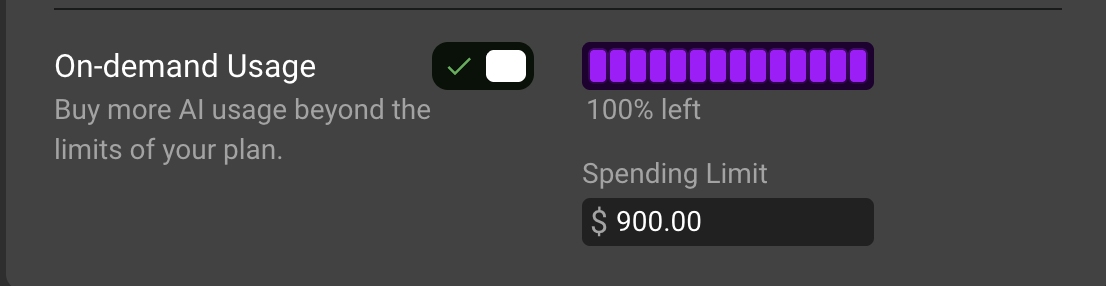
Right next to the toggle you will find a Spending Limit field. This is the maximum amount in dollars that on-demand usage can bill you in a billing month. Once your on-demand usage reaches this amount, the agent pauses again until your next billing cycle, or until you raise the limit.
Type the amount you are comfortable with and press Enter or click away to save. The quick-add buttons below the field raise the limit by a fixed amount in one click. The field is read-only while on-demand usage is off.
How you are billed
On-demand ACUs are billed in increments as you use them, not one by one and not all at the end of the month. The increment starts at 10 ACUs and can grow for accounts that use on-demand ACUs quickly, so that you get fewer and larger charges instead of many small ones. The price per ACU and your total stay the same whatever the increment size. Any remaining on-demand usage that has not reached a full increment is charged at the end of your billing cycle.
For more detail, see How ACUs and on-demand charges work. You can find every on-demand invoice under the gear icon on your plan card, in Invoices & Payments....
Can't find these options?
Depending on your plan and account setup, your Plan & Payments page may show an Included ACUs counter instead of the usage bars. In that case your plan does not use rolling limits, and your included ACUs simply reset on your renewal date. The on-demand toggle and Monthly Spending Limit field work the same way and sit in the same section.
Need help?
If a limit does not reset when the countdown ends, if on-demand usage does not start when you expect it to, or if you have any question about a charge, reach out to our support team and we will sort it out with you.