
What is Billing information?
Billing information is the set of details that appear on your Flux invoices and receipts. It includes your legal name or company name, your billing address, and your VAT or tax ID if your country requires one.
You can add or change these details yourself at any time. Changes apply to future invoices only.
Where to find it
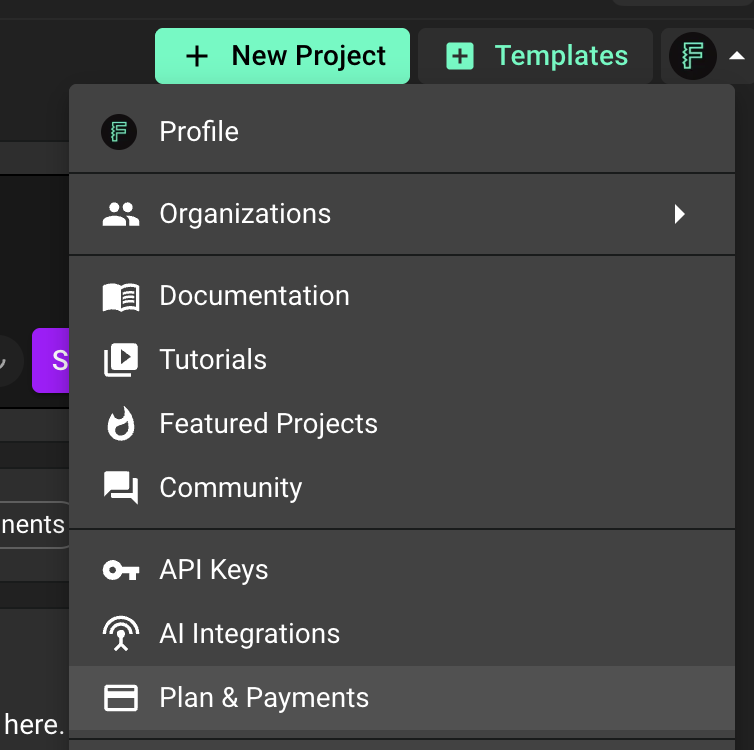
Open Flux and click your profile avatar in the top right corner.
Select Settings.
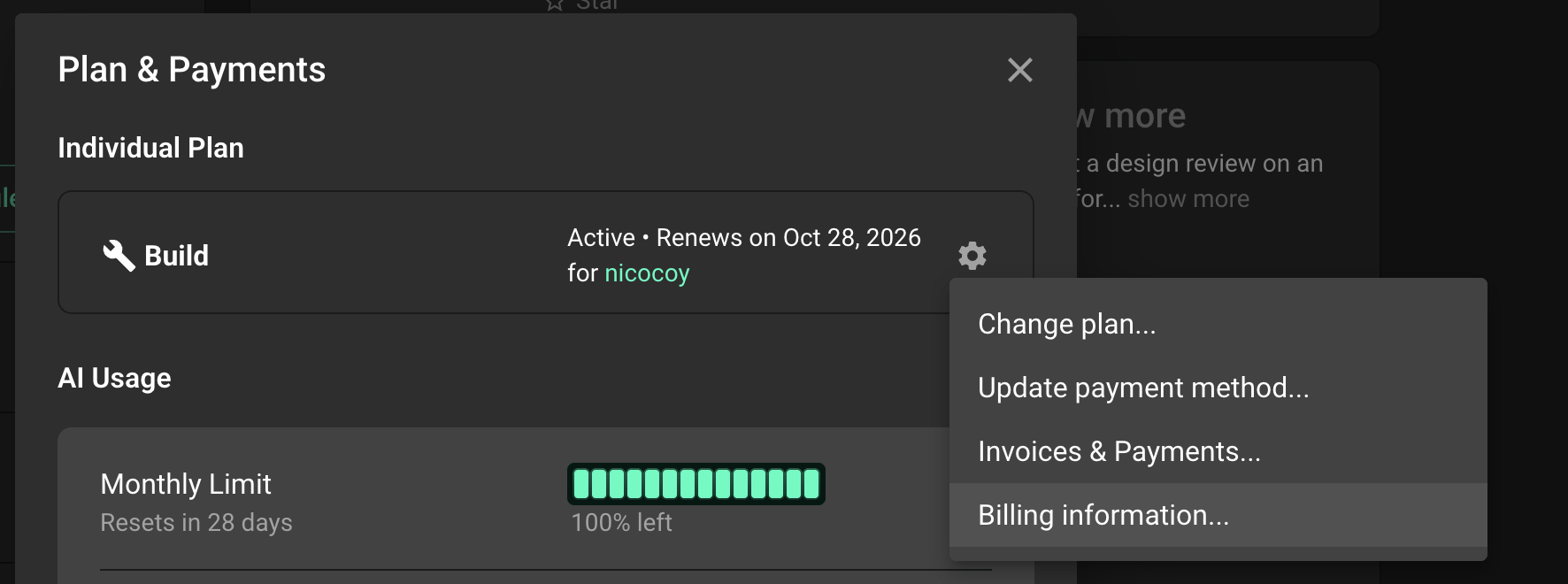
Go to Plan & Payments.
On your plan card, click the gear icon on the right side.
Select Billing information... from the menu.
Update your billing details
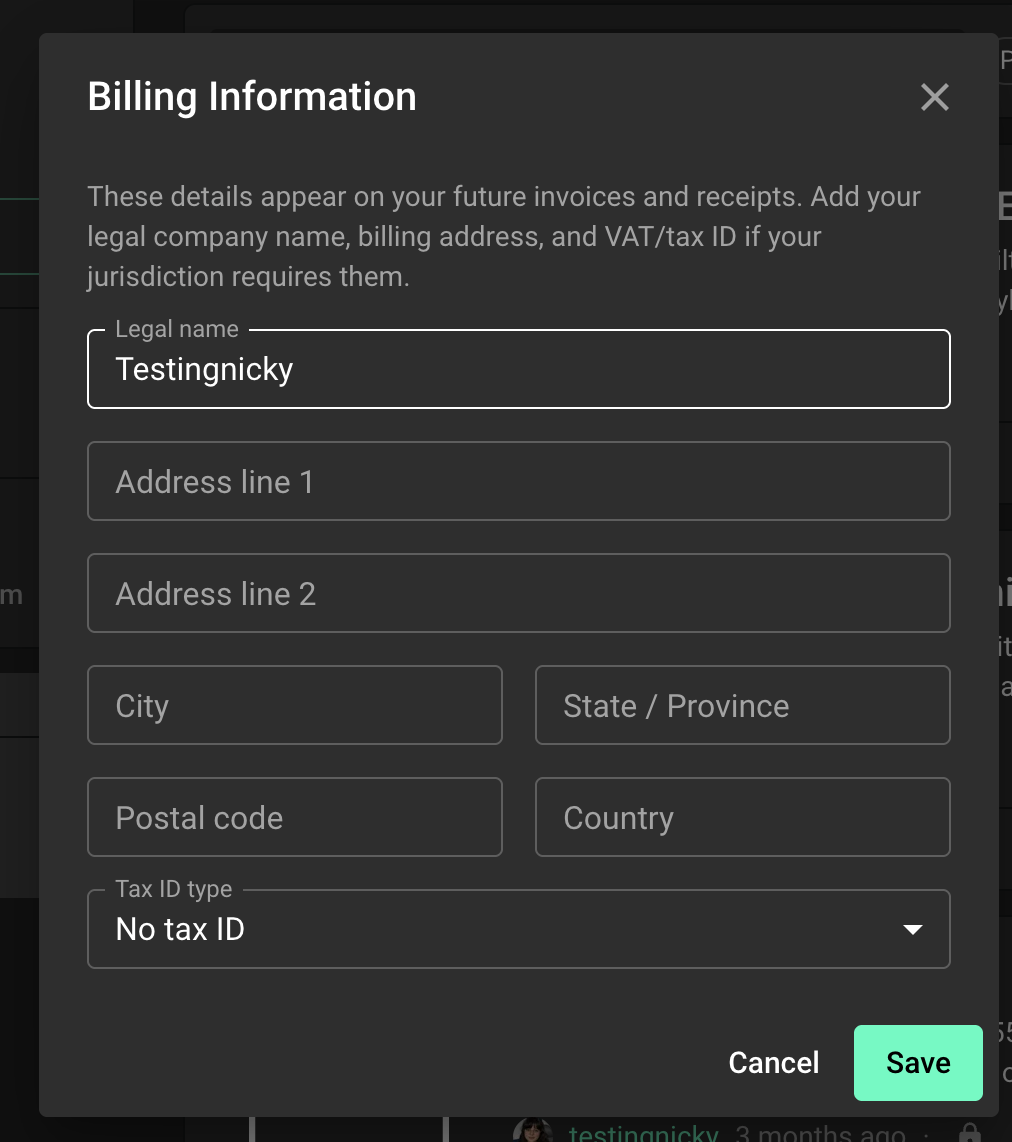
The Billing Information dialog has the following fields:
Legal name: your full name or the legal name of your company.
Address line 1 and Address line 2: your billing address.
City, State / Province, Postal code.
Country: use the 2 letter country code, for example US, DE, or IT.
Tax ID type: pick your tax ID type from the list, for example EU VAT, United Kingdom VAT, or United States EIN. Leave it as No tax ID if you do not have one.
VAT / Tax ID: appears after you pick a tax ID type. Enter your number here, for example IT01234567890.
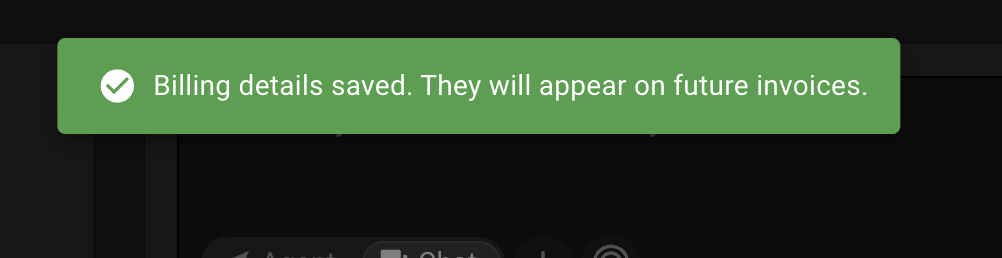
Fill in the fields you need, then click Save. You will see a confirmation that your details were saved and will appear on future invoices.
Need help?
If you cannot find the Billing information option, if saving fails, or if you need a change on an invoice that was already issued, please let us know. Contact our support team and include the email address on your Flux account and the details you would like on your invoice. We will take care of it for you.