
Overview
Your payment method is the card Flux charges for your plan. Flux uses this card for your subscription renewals, on-demand usage, and future invoices.
You can change this card yourself at any time from your account settings. You can also pay one open invoice with a different card, without changing the card on file. This article walks you through both.
Where to find it
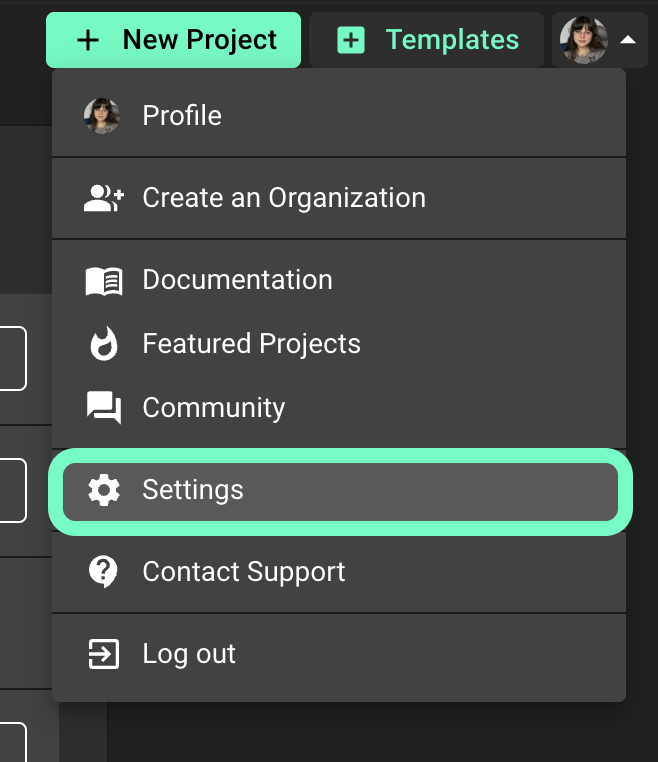
Open Flux and click your profile avatar in the top right corner.
Select Settings.
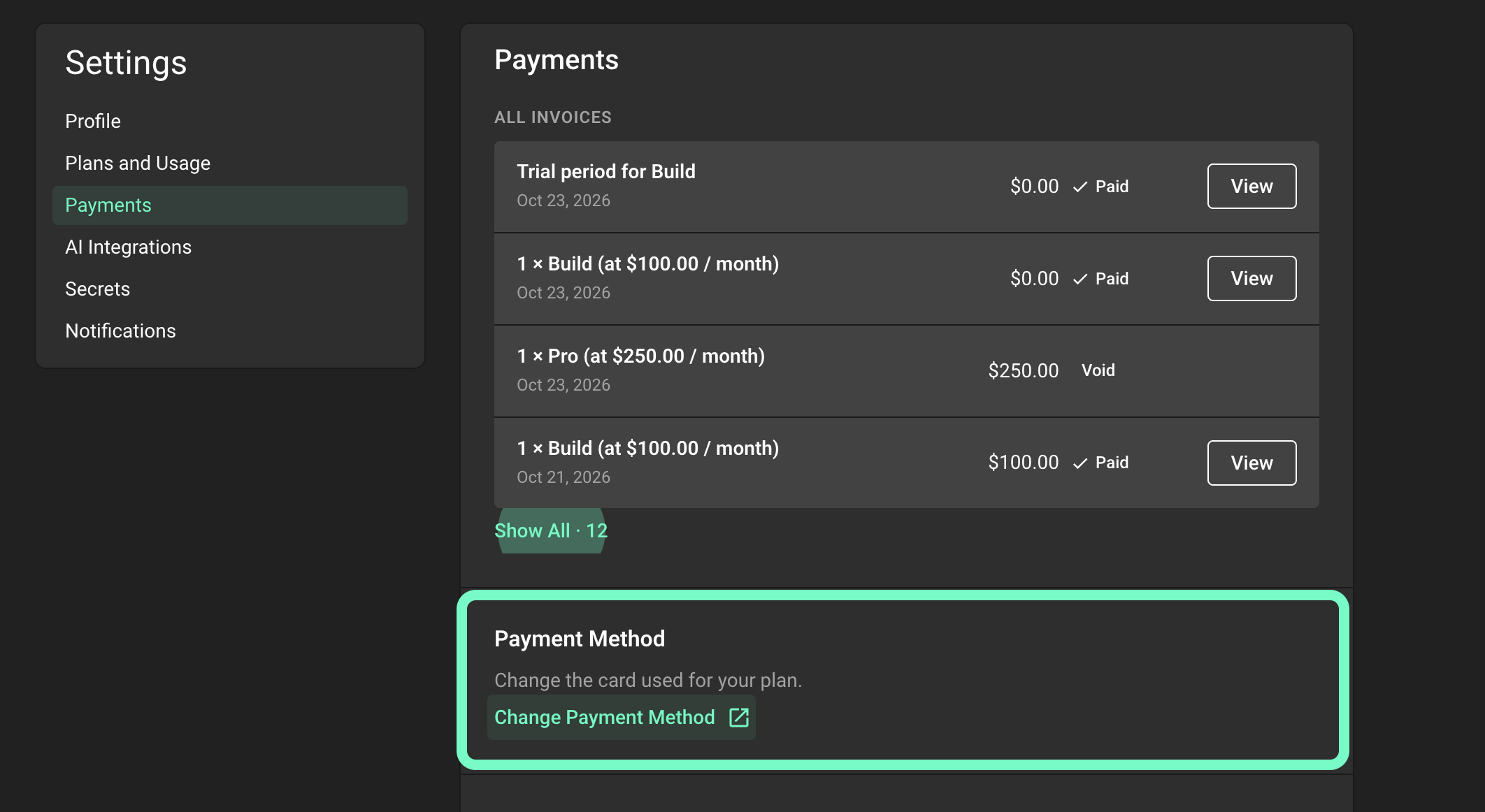
In the menu on the left, click Payments.
Scroll down to the Payment Method section, below your invoices.
Change the card for future charges
Use this option when your card expired or was replaced, or when you want Flux to charge a different card from now on.
In the Payment Method section, click Change Payment Method.
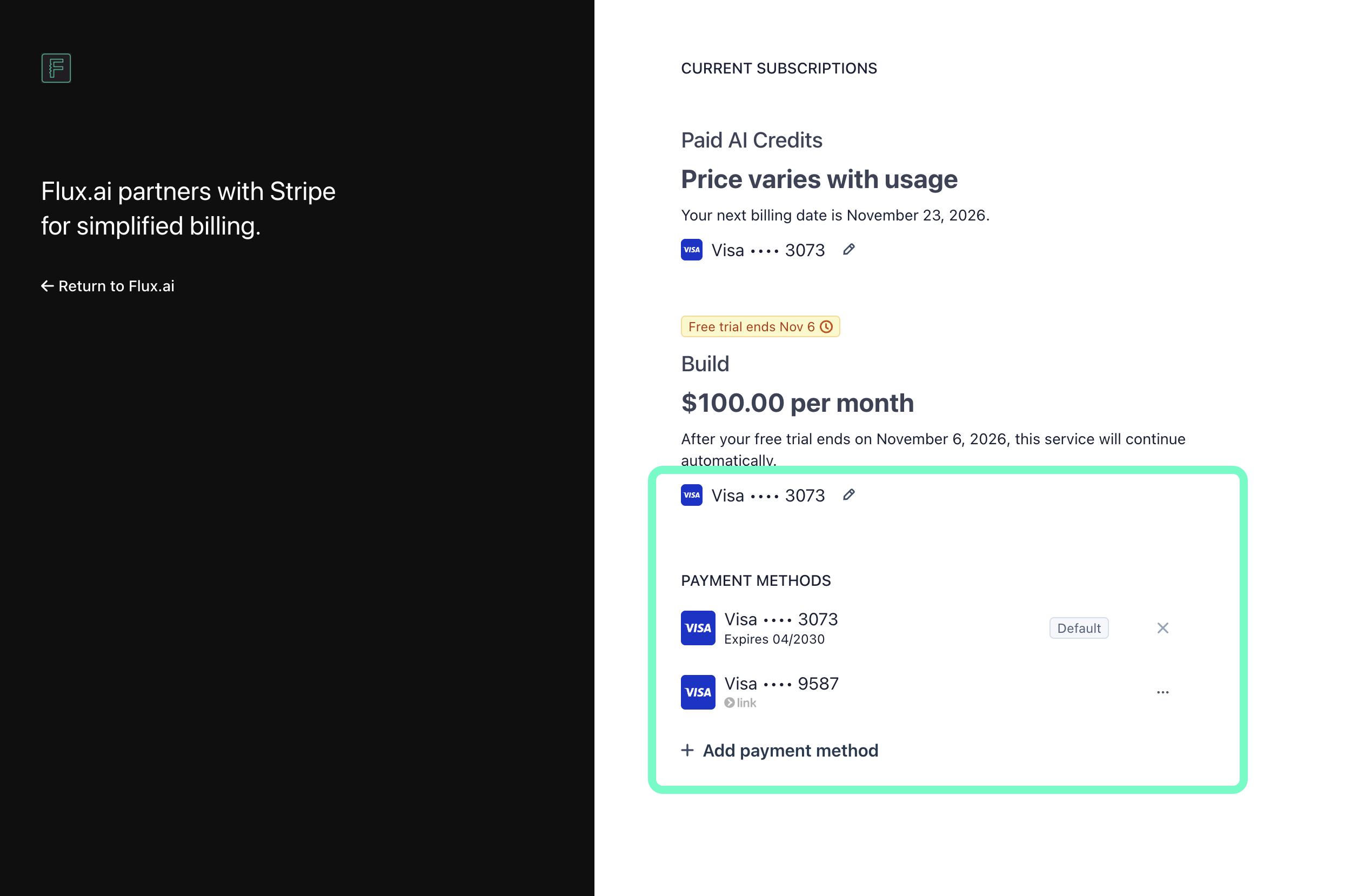
A secure Stripe page opens in a new tab.
Under Payment methods, click Add payment method, enter your new card details, and save.
Make sure your new card shows Default. If it does not, click the ... menu next to the card and make it the default.
Return to Flux.
Your new card is used for your next charges. If you have an open invoice, go back to Settings > Payments and click Pay to pay it with the new card.
Pay one open invoice with a different card
Use this option when you want to pay one invoice with a different card, but keep your current card on file.
Go to Settings > Payments.
Find the invoice with the status Open or Past due and click Pay.
The Stripe invoice page opens in a new tab.
Enter your card details.
Click Pay to complete the payment.
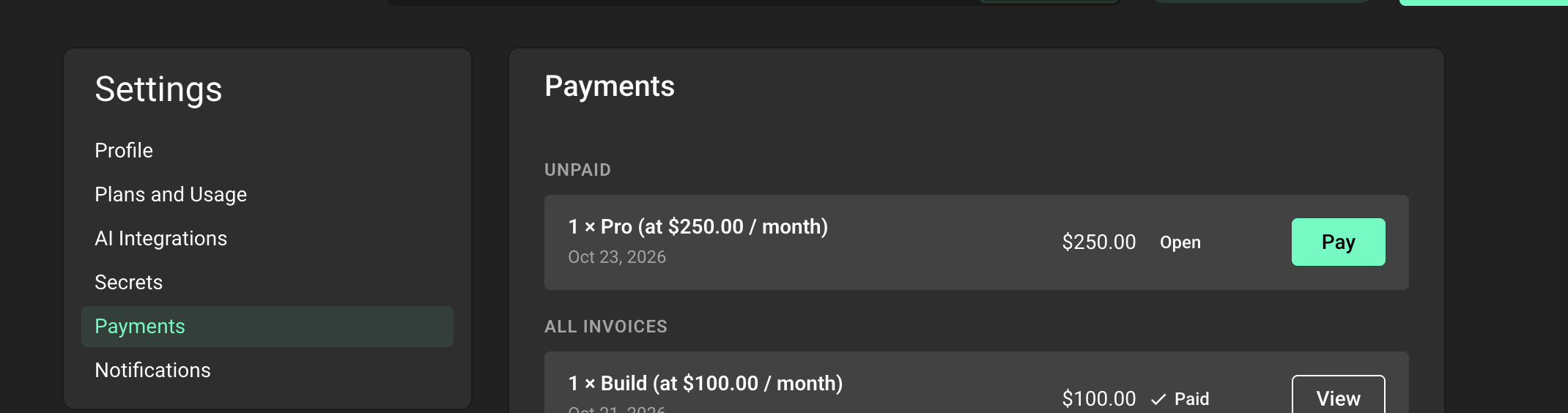
This pays only that invoice. It does not change the card on file for your plan. To use the new card for future charges too, follow the steps in Change the card for future charges.
If nothing happens when you click Change Payment Method or Pay, your browser may have blocked the new tab. Allow pop-ups for flux.ai and try again.
Need help?
If your card keeps getting declined, or you cannot update your payment method, please let us know. Contact our support team and include the email address on your Flux account. We will take care of it for you.