
Export your design files for board manufacturing, mechanical design, electrical test, and project handoff.
Flux is an AI hardware engineer. Ask Flux to prepare the files for your next design or manufacturing step.
Export designs
Ask Flux to export the files that you need.
All export options are in Flux menu → Export. Open this menu in the top-left corner of your workspace.
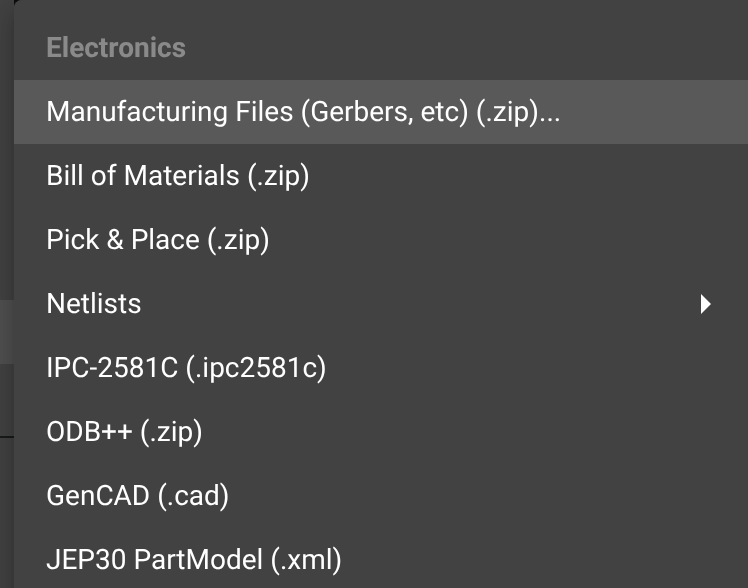
Flux menu → Export
Electronics — Board manufacturing files
Manufacturing Files (Gerbers, etc) (.zip)
Bill of Materials (.zip)
Pick & Place (.zip)
Netlists
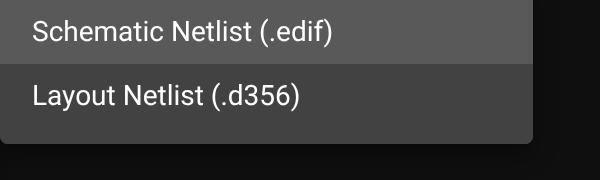
Schematic Netlist (.edif)
Layout Netlist (.d356)
IPC-2581C (.ipc2581c)
ODB++ (.zip)
GenCAD (.cad)
JEP30 PartModel (.xml)
Mechanical — Mechanical drawings and exports
Full 3D assembly — STEP, compressed STEP, BREP, USD text, USD, STL, OBJ, 3MF, GLB, FBX, and USDZ
PCB 3D model — STL, STEP, compressed STEP, GLB, COLLADA, BREP, VRML, and XAO
PCB 2D drawings — DXF, SVG, and PDF
Flux project (.flx)
Export mechanical part model assets in STEP, STL, OBJ, 3MF, or BREP from the asset outputs. See Export a model asset.
Export the schematic netlist as EDIF
Ask Flux to export the schematic netlist.
EDIF is a standard format for electronic schematics and netlists. The .edif file includes:
Components from the schematic
Connections between components
Component properties and attributes
The hierarchical design structure
Select Flux menu → Export → Electronics → Netlists → Schematic Netlist (.edif) to download the file. Use it for design verification, simulation, or to move connectivity data into another electronic design tool.
Export the Flux project
Ask Flux to export the complete Flux project.
The .flx file includes the complete schematic, PCB layout with all layers, component library references, design rules, constraints, and project settings.
Select Flux menu → Export → Flux project (.flx) to download the project file. Use it to back up a project, transfer it to another application, track versions, or archive the design.

Share your project in Flux to work with other Flux users in real time. You do not need to export files to collaborate. Export a .flx file for project handoff, backup, or archiving.
Related pages
Manufacturing & Export Guide - Validate your exported files, choose a manufacturer, and place an order.
Design Rule Check (DRC) helps ensure your design meets manufacturing requirements.
JEP30 PartModel Import lets you import component data in JEP30 format.