
Search
Bring your KiCad projects and part libraries to Flux, and continue the design here.
You can import KiCad project files and part libraries into Flux.
Import a KiCad Project
Attach the KiCad project files or a ZIP file to the chat, and ask Flux to import them.
Import this KiCad project.
Import the attached KiCad project, then design an enclosure and firmware for the board.
To do it in the UI:
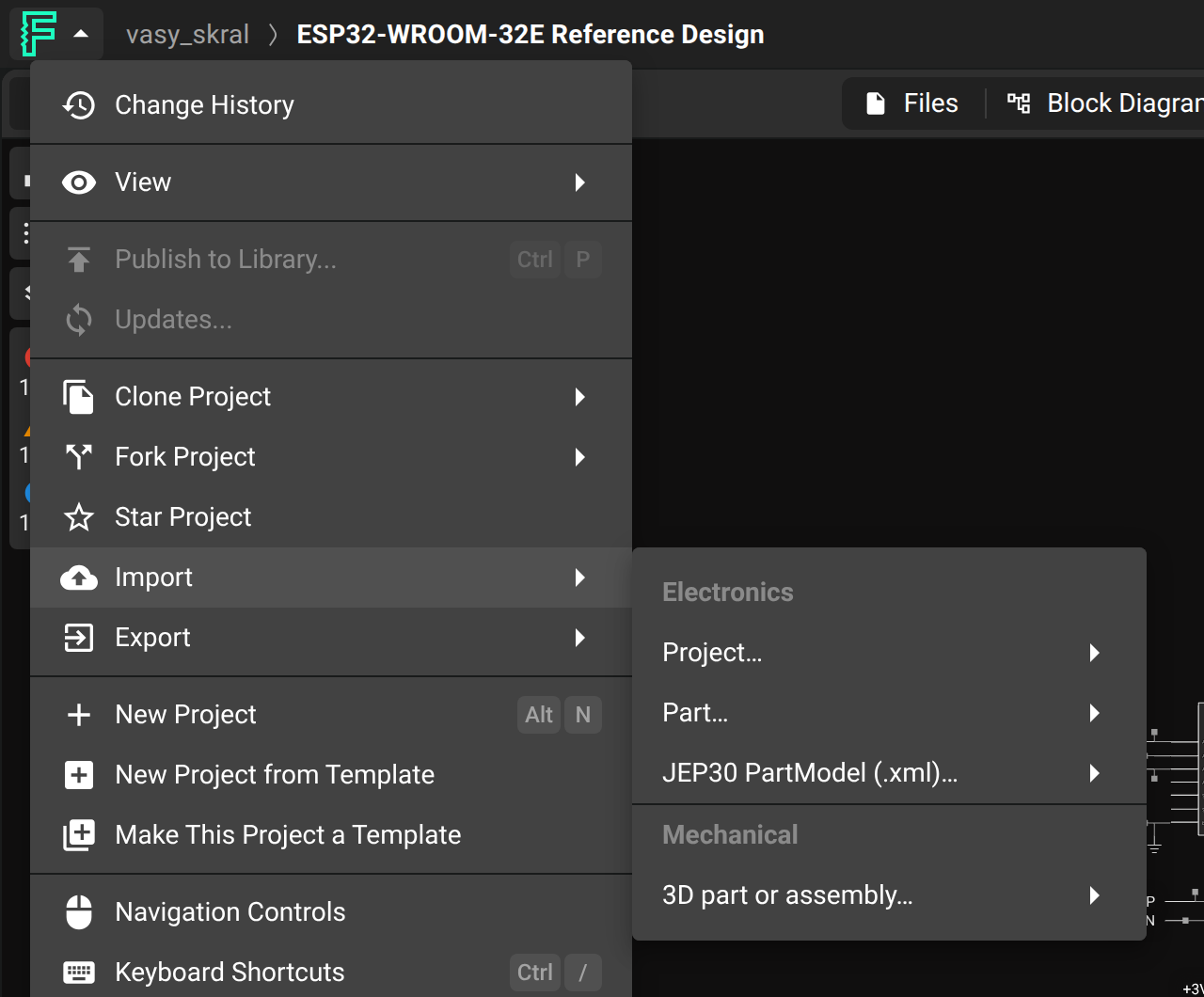
Select Flux menu → Import → Project….
Upload your
.kicad_pro,.kicad_sch, and.kicad_pcbfiles, a project folder, or a ZIP file.
Each import creates a new project. It does not update an existing project or part.
Import KiCad Parts
Attach the KiCad symbol or footprint library to the chat, and ask Flux to import the parts.
Import the parts in this KiCad symbol library.
Import this KiCad footprint and the attached STEP model as one part.
To do it in the UI:
Select Flux menu → Import → Part….
Upload a
.kicad_sym,.kicad_mod, or legacy.libfile. You can also upload a.stepmodel.
Was this page helpful?