
Search
Exchange part data with your manufacturers and customers in a standard format.
JEP30 PartModel is a JEDEC guideline for exchanging part data between manufacturers and customers in the electrical and electronics industries. Read more about JEP30.
Import a JEP30 PartModel
Ask Flux to import a JEP30 XML file and add the part to your library.
Import this JEP30 PartModel for the motor driver and add its symbol and properties to my library.
Import this JEP30 connector part and add the matching STEP model for its mounting bracket.
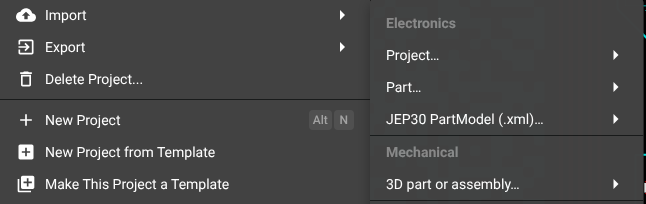
Select Flux menu → Import → JEP30 PartModel (.xml)… and upload the XML file. See Import part libraries.
Export a JEP30 PartModel
Ask Flux to prepare a part for export in JEP30 PartModel format. Include the MPN and properties you want in the part record.
Prepare this IC part and its MPN for JEP30 PartModel export. Keep the display module in the project.
Export this connector as a JEP30 PartModel and keep the M3 bracket and standoffs with the design.
Select Flux menu → Export → JEP30 PartModel (.xml) to export the project.
Was this page helpful?