
Flux is an AI hardware engineer. Flux designs the wire harnesses that connect the boards, batteries, motors, and sensors in your device, and gets them quoted and ordered.
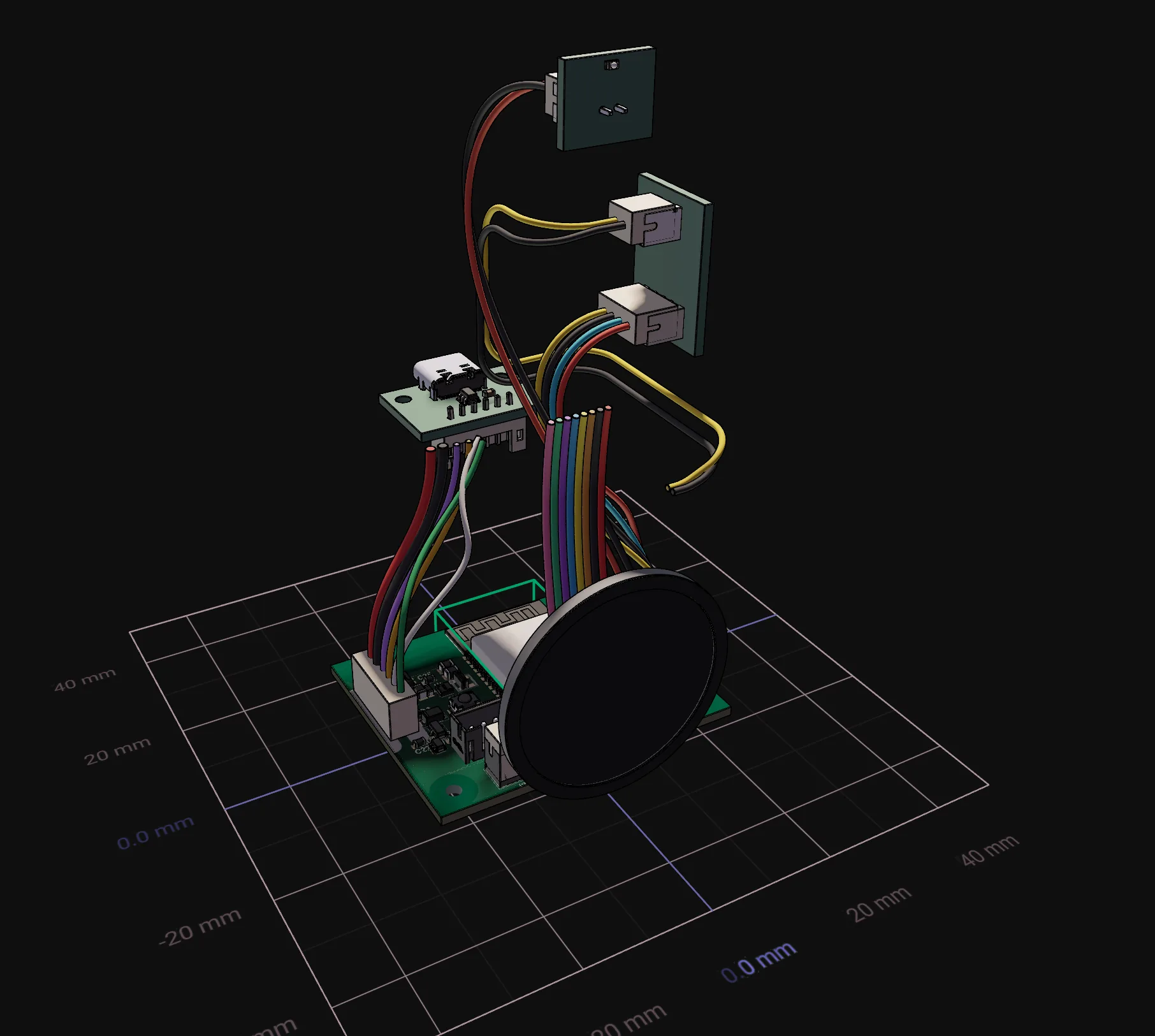
A device is more than its boards. It is the boards, the mechanical parts, and the cables between them. Flux reads the connectors and nets in your project, so the cable matches the design. You do not draw the pinout again in a spreadsheet, and you do not wait days for a price.
Wire harness workflows
Tell Flux which connectors each cable joins, how long each cable is, and how many cables you need.
Open the Chat panel in your project and describe the cables. Flux does these steps:
It reads the connector part numbers and the pin nets in the project, or the part numbers that you give.
It finds the mating cable housing and the crimp contacts for each board connector.
It makes one wire for each net that the two ends share, and selects the wire family, gauge, and color.
It writes a harness build record to the project files, with the harness drawing, the pin-to-pin wiring table, and the cable bill of materials.
It gets a real price and lead time from a harness manufacturer, and gives you a checkout link when you want to order.
Wire harness reference pages
Tell Flux the next step of the harness that you want to do.
Open Chat to ask Flux. Select Files in the project view switcher to read the harness build record. Use these pages for each step:
Design wire harnesses with connectors, wires, lengths, wiring tables, and drawings.
Get wire harness quotes and orders with price breaks, lead time, and a checkout link.
Use wire harness prompt examples for robots, drones, vehicles, and test rigs.
Wire harnesses for the complete device
Tell Flux how the cables connect to the rest of the device.
The connectors and nets come from the schematic, so the harness pinout matches the boards. The cable lengths come from the position of the parts in the mechanical design. The harness quote is in the same project as the board manufacturing files, so the price of the complete device is in one place.
Use the related pages to connect the harness to the full device workflow:
Mechanical Design covers parts, assemblies, and product geometry.
Firmware uses the same pin map as the harness.
Simulation checks circuit and device behavior.
Project files keep the harness build record with the other design documents.
Flux Agent explains how to work with Flux in the chat.