
Flux is an AI hardware engineer. Set your board rules and stackup to match the fabricator before placement.
Choose a manufacturing profile
Tell Flux what manufacturer and board requirements to use.
In PCB or BOM mode, select Profile in the project left drawer. Choose a profile from Manufacturing Profile. The Default Manufacturing Profiles list includes the catalog profiles. Flux applies the profile to the board.
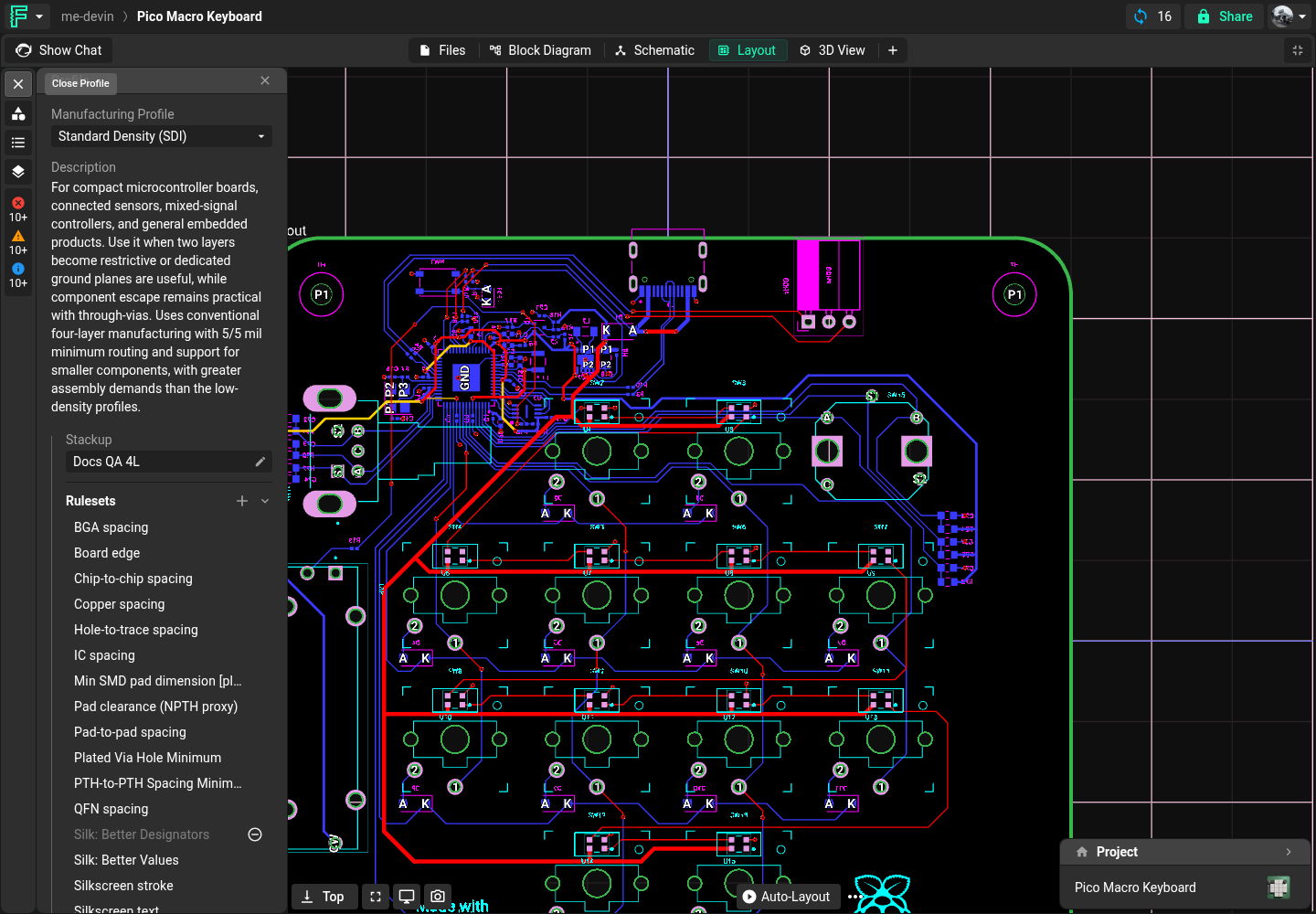
Compare profiles
Tell Flux which board rules to compare.
Flux compares profile rule values such as trace width, spacing, drill size, and layer count.
Apply a saved stackup
Tell Flux which saved stackup to apply to the board.
In the Profile drawer, open the Stackup section and select Edit stackup. In Stackup Editor, choose a saved option from Stackup. Your saved profiles appear under My Stackups.
Save your stackup as a reusable stackup profile
Tell Flux to save the current custom stackup for later projects.
In Stackup Editor, choose Save As.... Enter a name in Profile name, then select Save. You can select the saved stackup from My Stackups in another project.