
How the API works

Flux has a built-in code editor to write code.
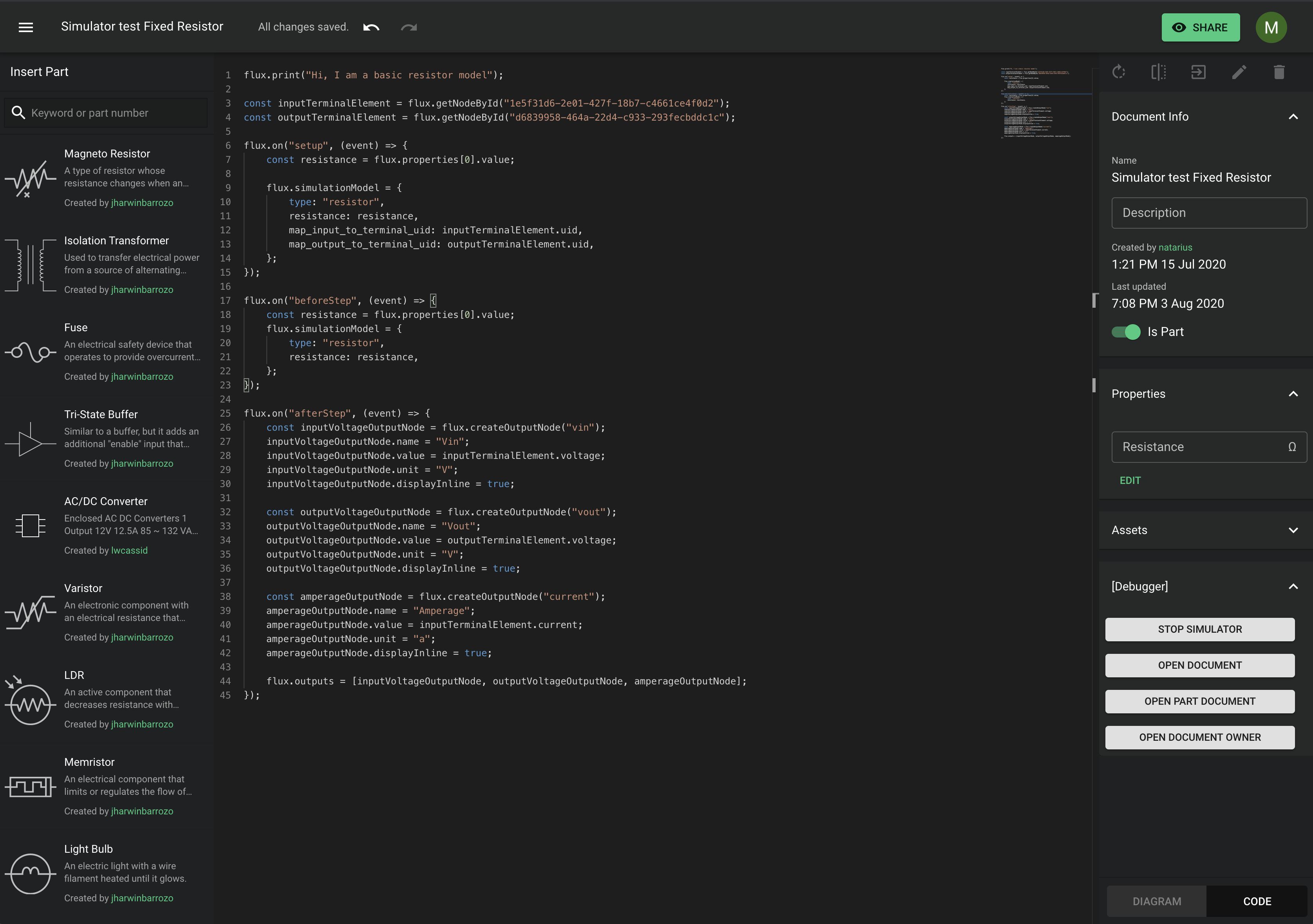

The code of a document runs in the scope of that document. It cannot access data outside the document. At runtime, the simulator flattens the document and subdocument hierarchy and runs the simulation in the background.

Sandbox

Flux runs all user code in a sandbox for security. For performance, the code runs in a thread that is separate from the app.

Your code has no access to the document global or to other globals that can escape the sandbox. For the globals that your code can use, see Supported globals.

Flux Global Object

Most of the model API is accessible from Flux global object. This includes functions to create nodes, access the nodes, show notifications, and much more. For example:

flux.print("Hello world!");
flux.createOutputNode();

State and Lifecycle

A model has state and a lifecycle.

To register and unregister callbacks for lifecycle events, use flux.on, flux.once, and flux.off.

Example:

flux.on("setup", (event: LifeCycleEventContext) => {
// Simulator is ready to start
// This is a good place to get your model ready
});

flux.on("beforeStep", (event: LifeCycleEventContext) => {
// This event will fire just before the simulator computes the current step
// This is a great place to set variables on your primitives
});

flux.on("afterStep", (event: LifeCycleEventContext) => {
// This event fires right after the simulator computed the curret step
// It's a great place to grab your output voltages/current and do something with them
});

flux.on("tearDown", (event: LifeCycleEventContext) => {
// This event fires when the simulator is about to stop. Eg. because the circuit changed and the simulator restarts
// this is a great place to cleanup memory and write data

Each event callback receives a LifeCycleEventContext object. This object gives data about the current simulation:

interface LifeCycleEventContext {
step: number; // current step since last simulator start/restart
time_since_simulation_start: number; // time in ms since last simulator start/restart
time_since_last_step: number; // time in ms since last simulator frame
step_size_time: number; // (ms) Length (in simulated time) of each step.
}